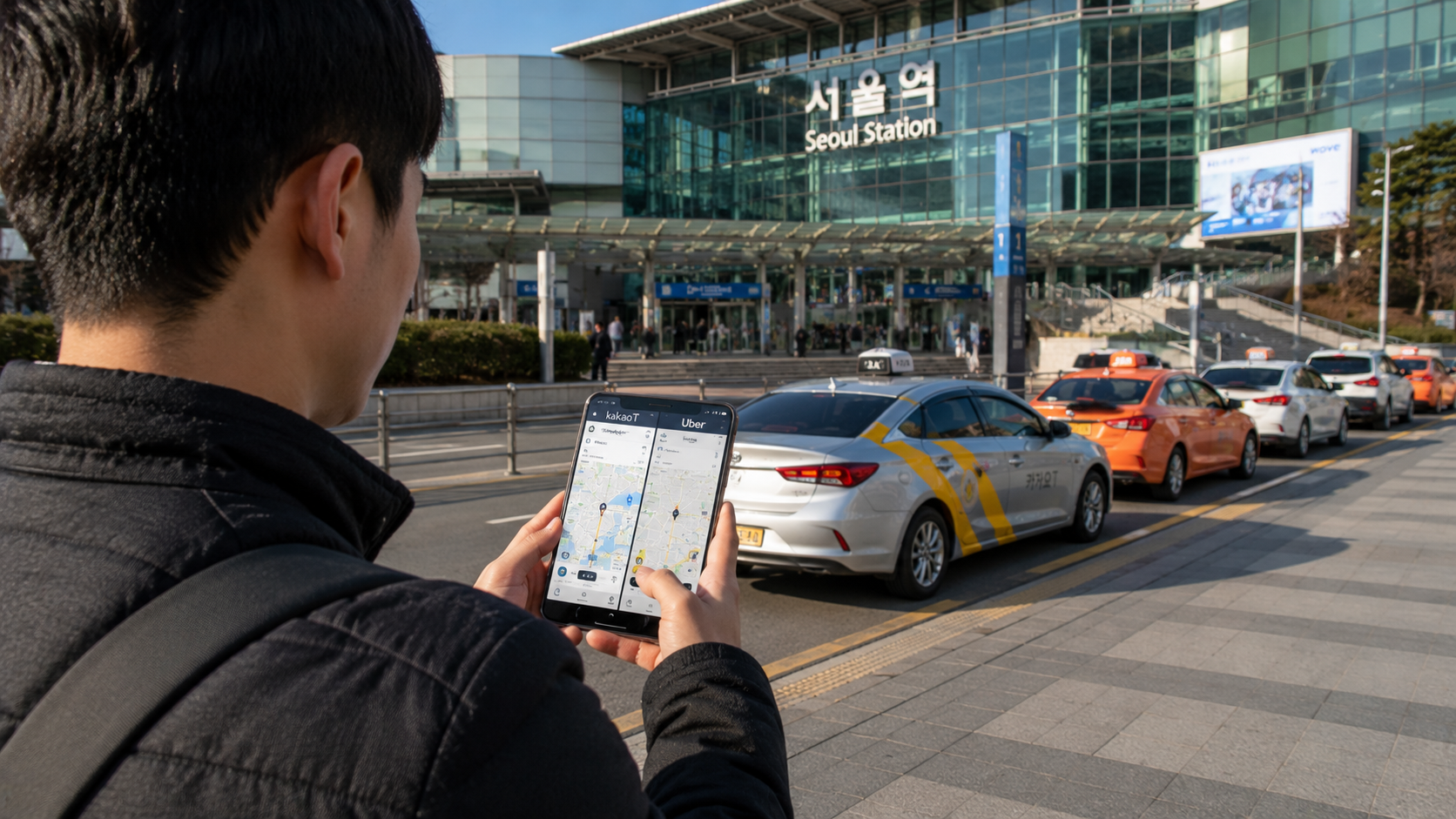
Uber and Kakao T both let you request licensed taxis in South Korea, but they suit different travelers. Kakao T is usually the more practical all-purpose option because of its broad domestic coverage and vehicle selection. Uber has a simpler learning curve for international visitors who already use it elsewhere.
For a short trip, install both before arrival. Try Kakao T or its visitor-oriented companion app, k.ride, when availability matters; keep Uber as an English-friendly alternative.
Service details and fees in this guide were verified on June 9, 2026. Options shown in either app can vary by city, time, and demand.
Quick answer
| Question | Better choice |
|---|---|
| Easiest for an existing international user | Uber |
| Broadest practical coverage in Korea | Kakao T |
| Simplest Kakao alternative for overseas visitors | k.ride |
| Most vehicle categories | Kakao T |
| Avoiding a new account or app | Uber |
| Finding a taxi outside central tourist districts | Try Kakao T first |
| Airport reservation | Both, depending on the available product |
Bottom line: Use Uber if you want a familiar interface and your existing account works. Use Kakao T when you need wider local availability, more vehicle choices, or a better chance of finding a taxi away from central Seoul. Visitors who find Kakao account registration inconvenient should consider k.ride.
How taxi apps work in Korea
Uber in Korea is primarily a taxi-booking platform rather than the private-car ridesharing service travelers may know from other countries. The app connects passengers with licensed taxi services, including standard and premium options. Uber’s Korea service page lists categories such as Standard Taxi, Uber Taxi, Speed Call, Green, and Deluxe Taxi, although not every category appears in every location.
Kakao T is a larger domestic mobility platform covering taxis as well as services such as intercity buses, trains, parking, and bicycle rental. Its taxi section includes ordinary metered taxis and, depending on the region, branded or larger vehicles such as Blue, Venti, Deluxe, and Black. The official Kakao Mobility taxi page explains its principal vehicle categories and reservation functions.
In either app, the normal process is:
- Enter your pickup point.
- Enter your destination.
- Select a vehicle or call type.
- Check the payment method and any call fee.
- Confirm the request.
- Match the plate number in the app with the arriving vehicle.
The app usually shows an estimated fare, but an ordinary taxi’s final charge is generally based on the applicable local meter, including traffic time, tolls, and legally permitted surcharges.
Kakao T: strengths and limitations
Why Kakao T is useful
Kakao T is the default taxi app for a large part of the Korean market. The Korea Tourism Organization’s official guide to ride-hailing apps describes it as widely used by both residents and visitors and available throughout Korea, including Jeju Island.
Its practical advantages include:
- Broad coverage in major cities and many smaller communities
- Several vehicle sizes and service levels
- Driver name, vehicle, and license plate information
- Pickup and destination pins that reduce the need for spoken Korean
- Direct payment to the driver for ordinary calls
- Automatic card payment when an eligible card can be registered
- Reservation options for selected services, including some larger or premium vehicles
Kakao T may be particularly useful in suburban districts, smaller cities, or places where fewer taxis appear in Uber. Availability is never guaranteed, especially late at night, during bad weather, or after major events.
Account setup can be less convenient
Kakao T normally requires a Kakao account, commonly created through the KakaoTalk messaging app. According to the Korea Tourism Organization, an overseas mobile number can be used for registration, but identity checks, text-message delivery, card registration, or app-store region settings can still create friction for some visitors.
Set up the account before you urgently need a taxi. Complete phone verification and test whether your hotel or another nearby landmark appears in the destination search.
Consider k.ride if you are visiting Korea
Kakao Mobility also operates k.ride, a service designed for international travelers. The Korea Tourism Organization reports that k.ride does not require KakaoTalk registration, supports English, Japanese, Traditional Chinese, and Simplified Chinese, and allows international cards to be registered. It also provides automated translation for destination searches and driver communication.
Although this article compares Uber with Kakao T, k.ride may be the more straightforward way for a short-term visitor to access Kakao Mobility’s taxi network.
Uber in Korea: strengths and limitations
Why Uber is easier for many visitors
The main advantage is familiarity. If you already have an Uber account, your profile, phone number, language settings, and saved places may continue to work in Korea. You do not need to learn a substantially different interface when tired, carrying luggage, or arriving late.
Uber provides:
- An English-language interface
- Map-based pickup and destination entry
- Driver and vehicle details
- Live vehicle tracking
- Fare estimates before requesting
- In-app driver contact
- Trip history and electronic receipts
- Safety functions such as trip sharing
Uber’s current Korea city directory lists service areas across Seoul, Busan, Incheon, Daegu, Daejeon, Jeju, and numerous other cities and districts. A listed city does not guarantee that a driver will be available at a particular time.
Uber may show fewer available taxis
In practice, Uber can be convenient in central Seoul and other major urban areas, but Kakao T may offer more choices in less central locations. This is a practical recommendation rather than a guaranteed coverage rule: open both apps and compare the expected pickup time before confirming.
Do not repeatedly request the same trip in both apps. Once one driver accepts, cancel the other request immediately or you may incur a cancellation fee and inconvenience a driver.
Fares and service fees
For ordinary taxis, choosing one app does not automatically make the metered taxi fare cheaper. The fare structure is established locally, and the route, traffic, nighttime surcharge, boundary surcharge, tolls, and vehicle category matter more than the logo on the booking app.
The apps can, however, add call or service fees for particular products.
As of June 9, 2026, Kakao Mobility’s English paid-service terms list:
| Kakao T option | Fare basis | Possible service fee |
|---|---|---|
| Regular | Local meter | None |
| Booster | Local meter | 0–4,000 KRW |
| Deluxe | Local meter | 0–5,000 KRW |
| Blue | Local meter | Governed by the relevant affiliate’s policy |
Kakao states that flexible fees can depend on demand, traffic, and region. Check the confirmation screen rather than assuming that a prominent or faster-dispatch button is free.
As of the same date, Uber’s Korea ride page lists a 3,000 KRW fee within the Speed Call price and a 1,000 KRW fee for Green. Other options and charges may appear depending on the area.
A fare estimate is not always a fixed quotation. For a standard metered ride, congestion or a changed destination can increase the final amount. Confirm whether the screen says that the price is an estimate, a meter fare, or a reserved fixed price.
Payment: check this before requesting
Paying with Kakao T
For a regular Kakao T request, the official terms allow either direct payment or automatic payment. Other call types may require automatic payment.
If your overseas card cannot be registered, select the direct-payment option when available. At the destination, pay the driver using a physical credit card, debit card, cash, or another method accepted by that taxi. A card with an activated magnetic stripe or chip is useful because acceptance of mobile wallets and foreign contactless cards is inconsistent.
Do not leave immediately after tapping your card. Wait for the terminal to approve the transaction and take the printed receipt if you may need to claim expenses or recover lost property.
Paying with Uber
Uber’s official information for Korea is inconsistent on this point. Its English Korea ride page describes payment through a method saved to the account, while the localized Uber Korea direct-payment help page states that Korea’s Taxi product must be paid directly to the driver by cash or card rather than through the app.
Because these official pages conflict, treat the payment method displayed on your final booking screen as controlling. Carry a physical payment card and some KRW as backup, even if your Uber account already contains a foreign card.
Tipping taxi drivers is not normally expected in Korea. Pay the meter, confirmed fixed fare, tolls, and any disclosed service fee.
Which app is better in common situations?
A first visit to Seoul
Uber is convenient if it already works on your phone, but installing k.ride or Kakao T gives you a useful backup. Save your hotel in Korean and English, including the street address.
Travel outside Seoul
Try Kakao T or k.ride first. Uber officially lists numerous regional service areas, but the number of available drivers can vary. Near a rural attraction, ask the accommodation or visitor center whether taxis normally accept app requests and how to arrange the return journey.
Late-night travel
Compare both apps before confirming. Regular taxi fares can include local nighttime surcharges, while optional priority-dispatch products may add a separate app fee. A displayed car does not mean that the driver has accepted your request; wait for the confirmed plate number.
Groups and large luggage
Do not assume a standard sedan can carry four passengers plus four large suitcases. In Kakao T, look for Venti or another larger category where available. In Uber, review the listed capacity and message the driver after matching.
Vehicle labels do not guarantee luggage space because the actual model varies. Two standard taxis may be more realistic than one vehicle for a large group.
Wheelchair-accessible transport
Neither ordinary app should be treated as a guarantee of an accessible vehicle. Travelers who require a wheelchair lift or other assistance should contact the relevant city’s official accessible taxi service in advance. Incheon Airport publishes regional reservation numbers in its transportation accessibility guide.
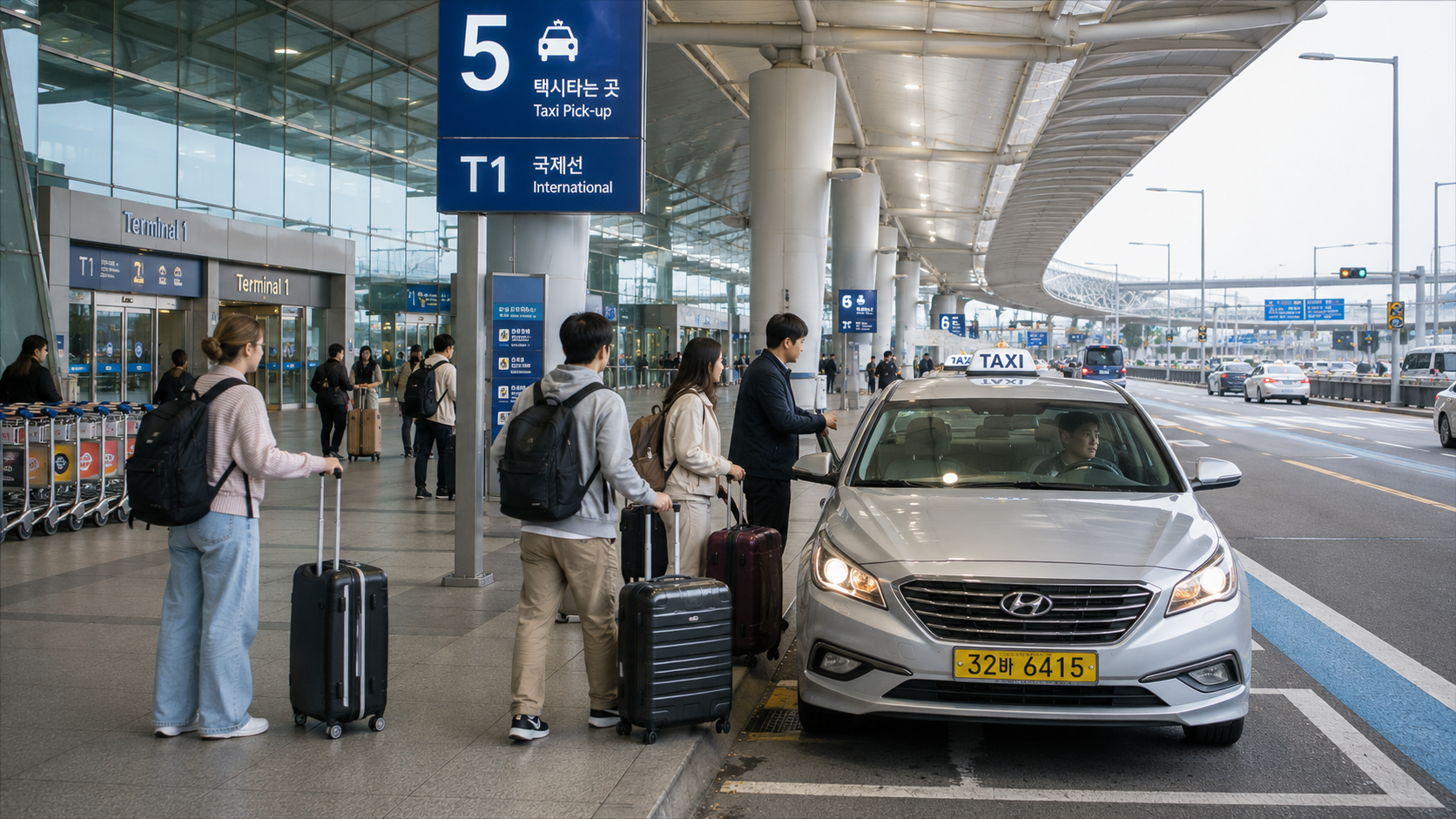
Using Uber or Kakao T at Incheon Airport
Do not request a taxi while you are still waiting for immigration or checked baggage. Drivers cannot normally wait indefinitely at an active pickup area. Request only when your group is together and ready to proceed outside.
Uber provides app-specific directions for Incheon International Airport. Its official ICN pickup guide advises passengers to follow the pickup instructions generated after booking because the meeting point depends on the terminal and selected vehicle category.
For Kakao T or k.ride, place the pickup pin at the terminal, floor, and numbered exit shown in the app. Check whether you arrived at Terminal 1 or Terminal 2; traveling to the wrong terminal by road can cause a significant delay.
If app booking is confusing, use an official taxi rank. Incheon Airport’s official taxi guide lists designated stands by destination and vehicle type and warns passengers against illegal solicitation or call vans posing as taxis. Ignore people approaching inside the terminal with unofficial transport offers.
How to avoid common problems
Pin the correct side of a large road
Korean roads can have barriers, bus lanes, or long distances between legal turning points. If the pickup pin is across an eight-lane road, the driver may be unable to reach you easily. Place the pin beside a hotel entrance, convenience store, numbered subway exit, or designated taxi area.
Use recognizable destinations
Search for a major landmark, station exit, or business name rather than entering a loosely translated address. Keep the destination’s Korean name available on your phone. Hangul is especially useful when several branches have similar English names.
Check the plate before entering
Compare the license plate, vehicle model, and driver details with the app. Korean taxi plates contain Hangul, so focus on matching the complete number shown in the application.
Do not confuse acceptance with searching
A spinning search screen means the app is still looking for a driver. Your booking is confirmed only when driver and vehicle information appears.
Watch for cancellation charges
A fee may apply if you cancel after a driver accepts or after the permitted cancellation window. If the car appears stationary, contact the driver through the app before canceling.
Keep trip records
Save the app receipt or take a screenshot showing the plate and trip details. This is useful when reporting a payment problem or recovering property left in the taxi.
What to check before you go
- Install Uber and either Kakao T or k.ride before departure.
- Complete account and phone verification while you have reliable internet access.
- Check whether your foreign card can be registered.
- Carry a physical card and a modest amount of KRW as backup.
- Save your accommodation’s Korean name, address, and telephone number.
- Confirm your mobile data or roaming connection.
- Check the pickup pin before submitting the request.
- Review the vehicle category, estimated fare, call fee, and payment method.
- Allow extra time during rain, late-night periods, holidays, and major events.
- Arrange accessible vehicles or unusually large luggage transport in advance.
Sources
- Korea Tourism Organization guide to ride-hailing apps
- Kakao Mobility taxi service overview
- Kakao Mobility paid-service terms
- Uber Taxi Korea service guide
- Uber service areas in Korea
- Uber Incheon Airport pickup guide
- Incheon Airport official taxi guide
Before your first taxi journey, open both apps at your accommodation and compare their available vehicle types, payment screens, and pickup-pin behavior. That five-minute check is easier than troubleshooting account or card problems at the curb.