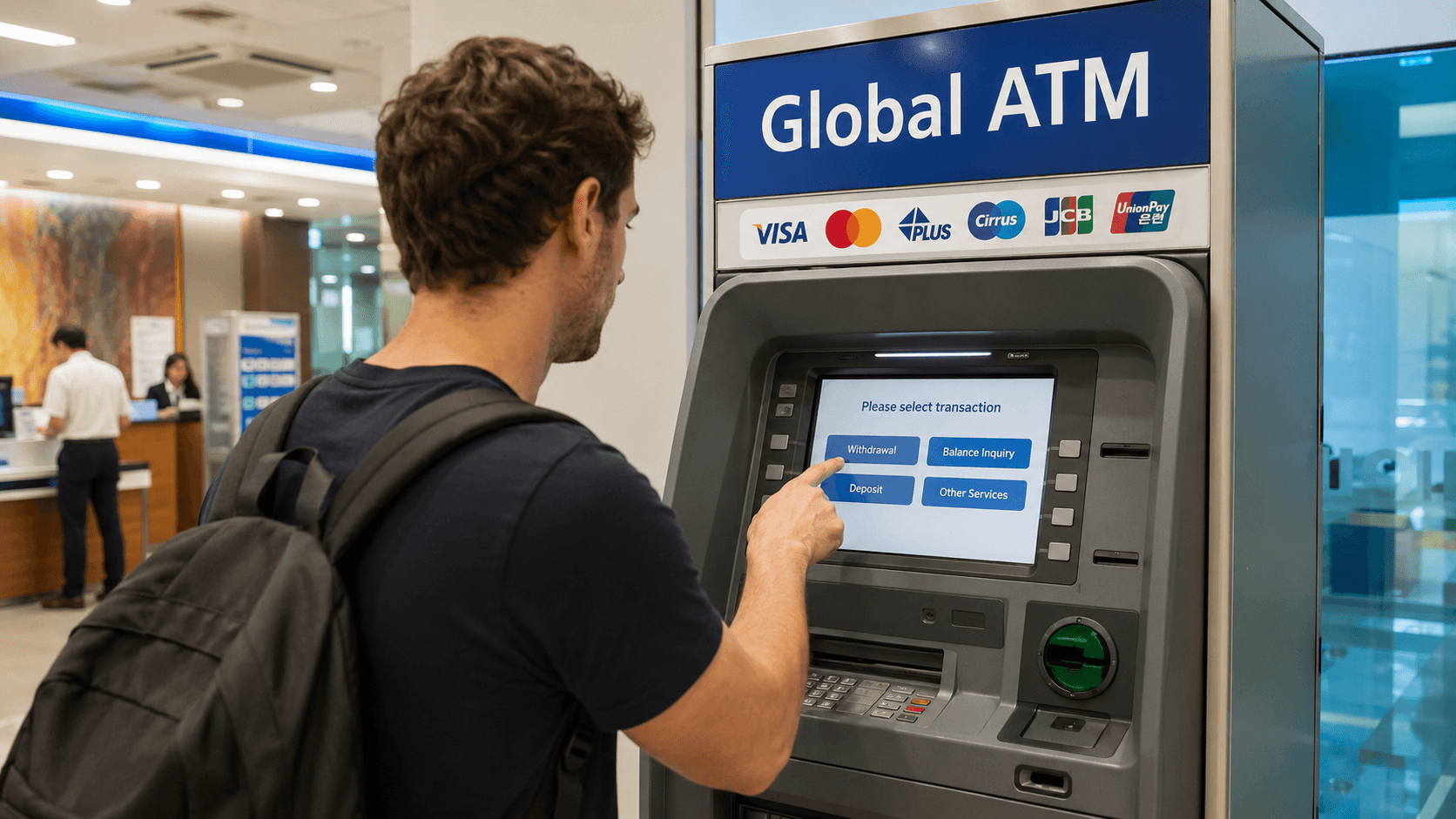
Foreign-issued cards can withdraw Korean won from many ATMs in South Korea, particularly machines marked Global ATM or displaying an international network logo such as Visa, Plus, Mastercard, Maestro, Cirrus, or UnionPay. However, not every Korean ATM accepts overseas cards, even when it offers an English-language menu.
The simplest approach is to use a Global ATM operated by a major Korean bank, withdraw in Korean won, and review every fee and currency-conversion screen before confirming. Bring a second card and some backup cash because acceptance depends on the ATM, card network, and your home bank.
ATM availability, airport operating hours, and payment information in this guide were verified on June 9, 2026. Fees and withdrawal limits are not standardized and must be checked on the ATM screen and with your card issuer.
At a glance
| Question | Practical answer |
|---|---|
| Do foreign cards work at Korean ATMs? | Yes, at compatible Global ATMs displaying your card's network logo. |
| What currency will I receive? | Korean won, abbreviated KRW and shown locally as 원 or ₩. |
| Where should I try first? | A Global ATM at a major bank branch, airport, or large transport hub. |
| Are ATMs available in English? | Many Global ATMs offer English; some also offer Chinese or Japanese. |
| Is there an ATM fee? | There may be an operator fee, an issuer fee, a network fee, or a combination. Review the displayed charge before confirming. |
| Should I choose KRW or my home currency? | KRW is usually the more transparent choice because it avoids the ATM operator's dynamic currency conversion. |
| Will I need cash in Korea? | Cards are widely accepted, but cash remains useful for some markets, small businesses, transit-card recharging, and emergencies. |
Which Korean ATMs accept foreign cards?
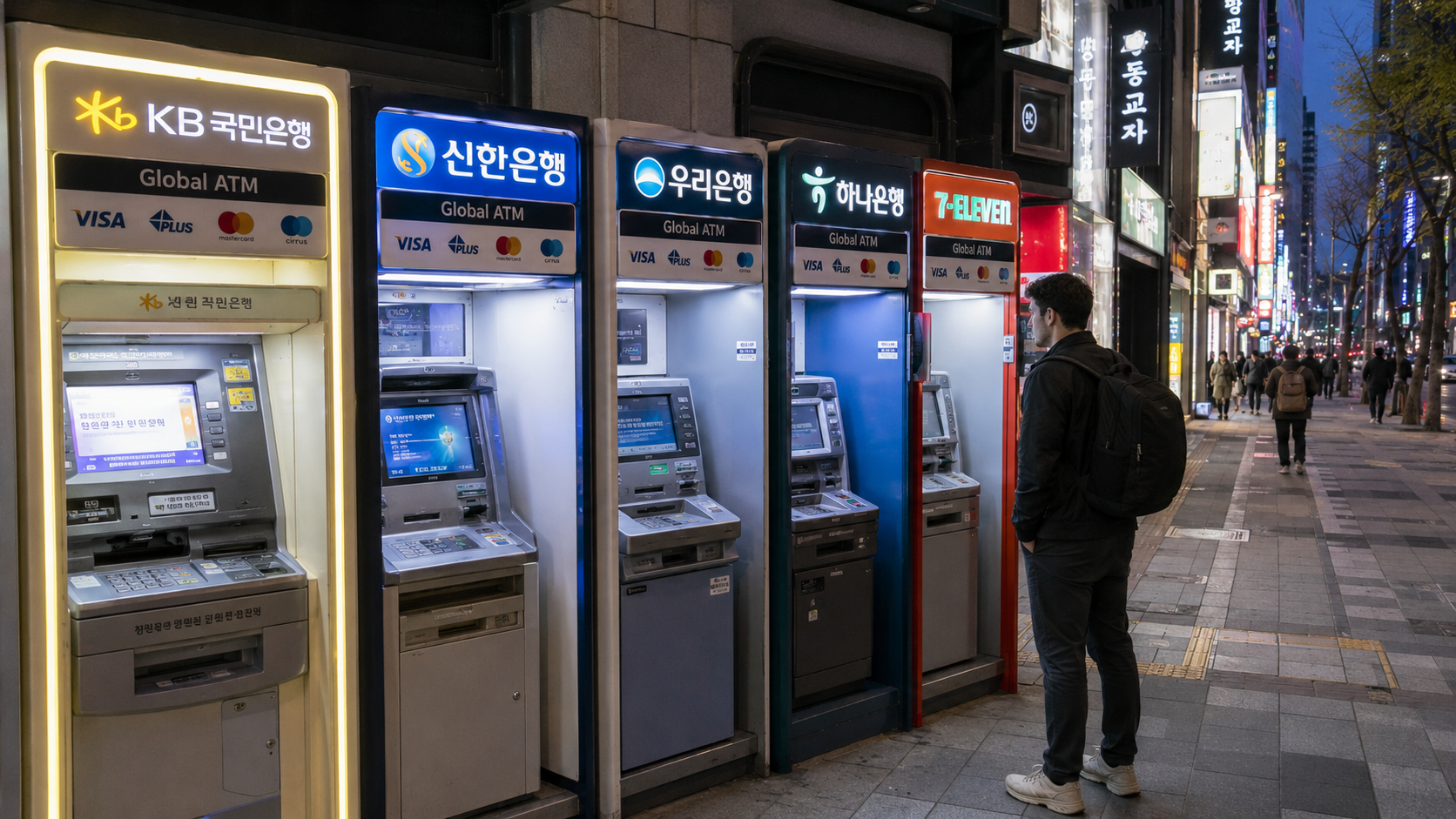
Look for Global ATM, International ATM, or the logo used by your card network. An English button by itself does not prove that an overseas card will work: some machines provide English instructions only for customers with Korean bank accounts.
The Seoul Tourism Organization's money guide states that internationally compatible ATMs are identified by a Global sign or the logos of the international card networks they accept. It also notes that many machines provide English, Chinese, and Japanese menus.
Common places to find compatible machines include:
- Major Korean bank branches
- Incheon and Gimpo airports
- Seoul Station and other large railway stations
- Intercity and express bus terminals
- Major subway stations
- Department stores and shopping centers
- Convenience stores
- Tourist districts and large hotels
Major banks include KB Kookmin Bank, Shinhan Bank, Woori Bank, and Hana Bank. Compatibility can still differ between individual machines. Woori Bank, for example, provides an official Global ATM branch locator, allowing users to distinguish Global ATMs from ordinary domestic machines.
For Visa cards, the official Visa Global ATM Locator can help identify nearby Visa or Plus machines. Mastercard, Maestro, and Cirrus cardholders can use the Mastercard ATM Locator. Locator information can change, so confirm the network logo on the physical machine before inserting your card.
How to withdraw cash step by step
The wording and order vary by bank, but the usual process is:
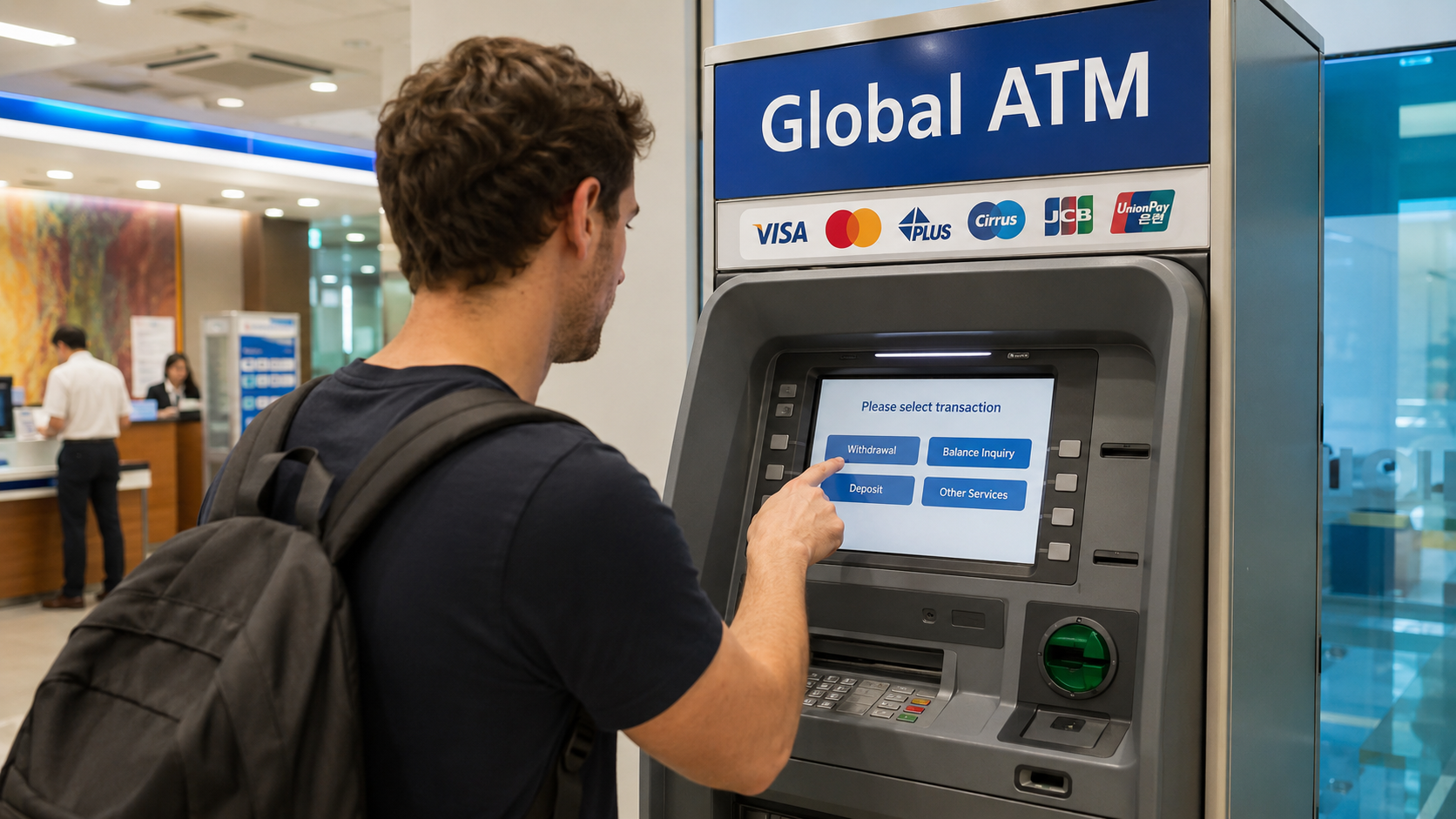
- Check the logos before inserting your card. Look for Global ATM and your network, such as Visa, Plus, Mastercard, Maestro, Cirrus, or UnionPay.
- Select the foreign-card menu if shown. It may be labelled Foreign Card, Overseas Card, International Card, or Global Service.
- Choose English. The language button is commonly on the opening screen.
- Select Cash Withdrawal. A credit card may present the transaction as a cash advance.
- Choose the account type if requested. Debit-card users generally select Checking or Current. The correct choice depends on how your home bank has configured the card.
- Enter your PIN. Shield the keypad. Do not rely on a signature instead of a PIN.
- Choose or enter an amount in KRW. Korean banknotes are issued in KRW 1,000, 5,000, 10,000, and 50,000 denominations.
- Review the ATM fee. Cancel if the displayed charge is higher than you are willing to pay.
- Decline home-currency conversion when appropriate. Select KRW, local currency, or continue without conversion rather than accepting a conversion into dollars, euros, pounds, or another home currency.
- Take your card, cash, and receipt. The order varies. Do not walk away immediately after the cash appears.
Keep the receipt until the withdrawal has settled in your banking app. It can help identify the terminal and transaction if the cash amount or account charge is incorrect.
ATM fees and exchange rates
There is no single foreign-card ATM fee for Korea. Your total cost may contain several separate charges:
| Possible cost | Who controls it? |
|---|---|
| ATM operator fee | The Korean bank or independent ATM operator |
| Overseas withdrawal fee | Your home bank or card issuer |
| Foreign transaction fee | Your card issuer |
| Network currency conversion | The card network and issuer, depending on the card agreement |
| Dynamic currency conversion markup | The ATM's conversion provider if you accept home-currency billing |
| Cash-advance fee and interest | Your credit-card issuer when a credit card is used |
Mastercard explains in its ATM fee guidance that operator fees are determined by the ATM owner and should be disclosed when the transaction begins. It also advises cardholders to check their issuer's withdrawal limits, conversion rules, and additional charges.
Because the operator charge can vary by machine, bank, time, and card network, a reliable universal fee could not be confirmed as of June 9, 2026. Read the screen rather than relying on a fee quoted in an old travel post. If a machine discloses a fee before completion, you can cancel and try another ATM.
Convenience-store machines can be useful late at night, but the official Seoul money guide cautions that they may charge higher transaction fees. When practical, compare one with a bank-operated Global ATM.
Why you should usually choose Korean won
Some ATMs offer to convert the withdrawal into your card's billing currency. This is called dynamic currency conversion, or DCC. The screen may emphasize the familiar home-currency total or describe it as a guaranteed rate.
Visa's official dynamic currency conversion explanation says that DCC can include an exchange-rate markup and additional fees. The ATM should display both currencies, the conversion rate, and any markup while allowing you to decline.
For most travelers, selecting KRW, local currency, or decline conversion lets the card network and issuer perform the conversion under the terms of the card. This does not guarantee a fee-free transaction, but it avoids accepting the ATM provider's separate conversion offer.
Do not cancel the entire withdrawal by mistake. On some screens, declining conversion continues the transaction in KRW; on others, the wording can be less clear. Read the confirmation page carefully.
How much can you withdraw?
Korea does not have one universal per-transaction limit for foreign cards. The amount available depends on:
- The Korean ATM's transaction limit
- The number and denomination of notes the machine can dispense
- Your card network
- Your home bank's daily cash-withdrawal limit
- Fraud-prevention restrictions on your account
- Your available balance or credit limit
The ATM may impose a lower limit than your home bank. If a large request is declined, try a smaller amount once rather than submitting several identical requests. Repeated failures can trigger a security block.
Multiple small withdrawals can become expensive when operator and issuer fees are charged per transaction. At the same time, carrying a large amount of cash creates a loss risk. A sensible approach is to withdraw enough for immediate cash-only needs while paying by card where convenient.
Using an ATM at Incheon Airport
Incheon International Airport has bank-operated and shared ATMs in both passenger terminals. According to the airport's official facility directory, some shared and bank ATMs operate 24 hours, while a number of bank machines are listed with hours of 06:00-22:00. Locations and hours differ by terminal and floor and may change.
At Terminal 1, the directory lists machines in arrival, departure, and transport areas, including near several first-floor exits and the Airport Railroad ticketing area on basement level 1. Search the directory by terminal and facility type when you arrive rather than assuming the nearest currency-exchange counter has the same hours as an ATM.
Airport ATMs are convenient for obtaining enough won for the first part of your journey. You do not need to withdraw your full travel budget immediately, especially if the displayed fee or conversion offer is unfavorable.
Do you actually need cash in Korea?
Credit and debit cards are widely used. The Korea Tourism Organization's currency guide confirms that cards are commonly accepted at hotels, department stores, shops, and other businesses.
Nevertheless, carrying a modest amount of won is practical for:
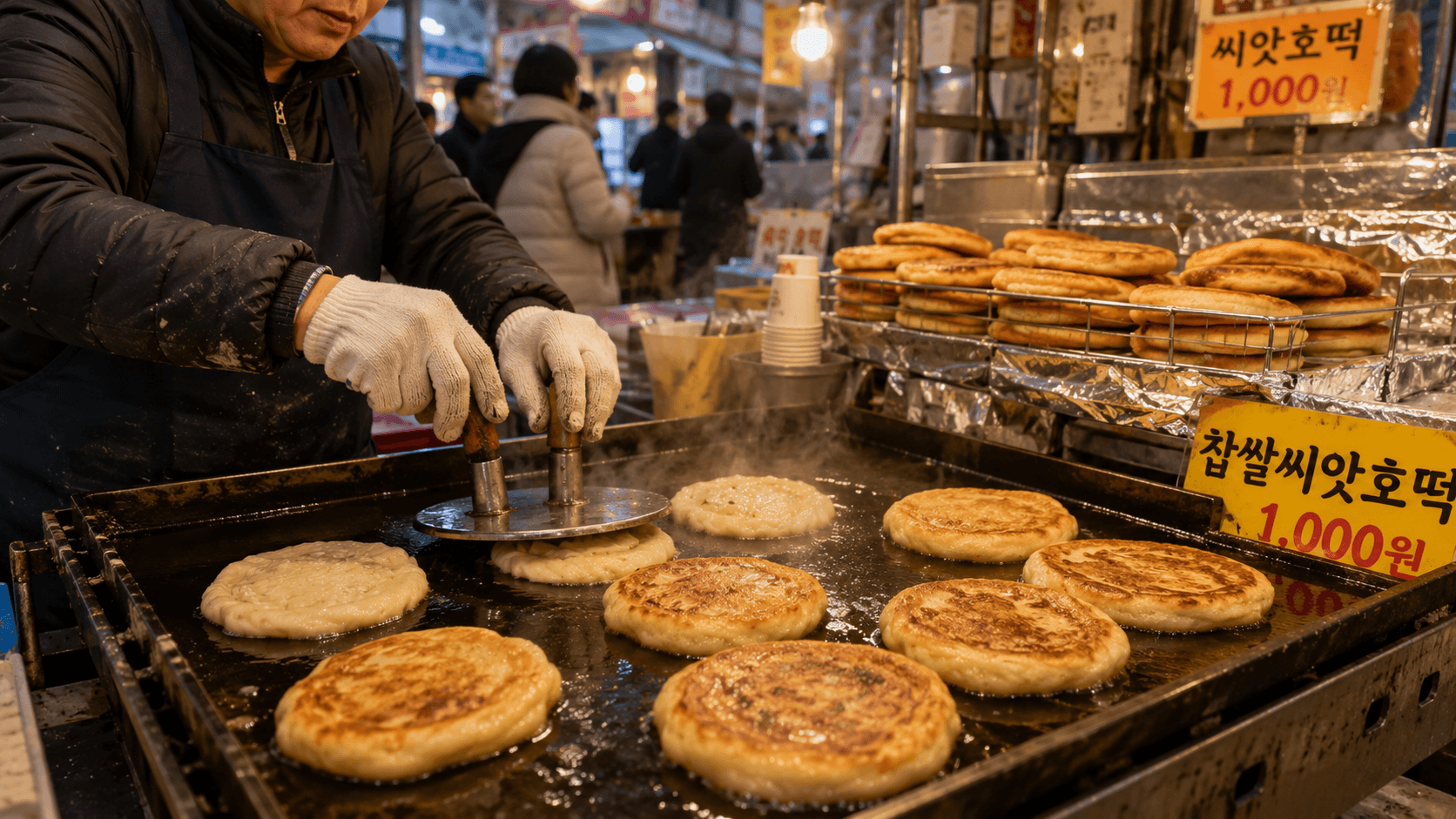
- Traditional markets and small food stalls
- Older or very small independent businesses
- Coin lockers or machines that do not accept overseas cards
- Transit-card purchases or recharging where the available machine requires cash
- Situations in which an overseas card is declined
- Rural destinations with fewer internationally compatible ATMs
Transport payment is changing. From March 17, 2026, Seoul began accepting internationally issued Visa and Mastercard credit and debit cards at designated new vending machines for short-term Climate Cards and single-journey subway tickets. The Seoul Metropolitan Government announcement states that these transactions carry an average service fee of approximately 3.7%. This does not mean that every transit-card machine or every type of Tmoney recharge accepts a foreign card, so keeping some cash remains useful.
What to do when your card is declined
A declined withdrawal does not necessarily mean that your account has a problem. Try these steps in order:
- Confirm that the ATM displays your network logo. An ordinary domestic ATM may reject every overseas card.
- Use the dedicated foreign-card or Global menu. Do not enter through domestic bank-account services.
- Try a smaller KRW amount. The requested amount may exceed the machine's per-transaction limit.
- Check your banking app. Look for a fraud alert, card lock, insufficient balance, or disabled overseas withdrawal setting.
- Try a bank-operated Global ATM. Switch banks rather than repeatedly using the same machine.
- Contact the card issuer. Use the number in your banking app or on the back of the card.
Other common causes include an incorrect PIN, a card without international ATM access, an issuer's daily limit, a damaged chip, a temporary network interruption, or a cash-advance restriction on a credit card.
If the ATM keeps your card, note the bank name, terminal location, time, and ATM identification number. Contact the telephone number displayed on the machine and notify your issuer immediately. Recovery may be difficult outside branch hours, so be prepared to freeze the card and use your backup.
If your account is charged but no cash appears, do not repeat the withdrawal immediately. Photograph or record the ATM identification details without capturing another customer's information, retain the receipt, and report the failed dispense to your issuer. The Korean ATM operator may also provide a service number on the machine.
Accessibility and late-night access
Some ATMs are inside bank lobbies, subway concourses, malls, or buildings that close at night even when the machine itself is capable of extended operation. Street-facing bank vestibules, airports, and convenience stores are more likely to be accessible late.
Accessibility features vary by terminal. International network locators may allow searches for wheelchair access or audio assistance, but their listings can be incomplete. For essential access requirements, verify the location with the bank or facility operator before traveling there.
What to check before you go
- Confirm that overseas ATM withdrawals are enabled on your card.
- Know your numeric PIN; do not depend on contactless payment or a signature.
- Check your issuer's daily limit and per-withdrawal fee.
- Ask whether a credit-card withdrawal is treated as a cash advance with immediate interest.
- Save your issuer's international contact number separately from your wallet.
- Carry cards from two different accounts or networks when possible.
- Keep enough backup cash for transport and one day of basic expenses.
- Install your bank's app and enable transaction alerts.
- Use the official Visa, Mastercard, or bank ATM locator to identify alternatives near your accommodation.
- When the ATM offers currency conversion, compare the terms and normally select KRW rather than your home currency.
Frequently asked questions
Can I use a foreign debit card at a Korean ATM?
Yes, if international cash withdrawals are enabled and the ATM supports your network. Look for a Global ATM sign and the matching card logo.
Can I use a foreign credit card?
Possibly, but the withdrawal is normally treated as a cash advance. Your issuer may charge a fee and begin applying interest immediately. Check the card agreement before using it for cash.
Are Korean ATMs open 24 hours?
Some are, but not all. Access may depend on the bank vestibule, station, mall, or building hours. Incheon Airport's directory lists both 24-hour machines and machines operating on schedules such as 06:00-22:00.
Is an English menu available?
Many Global ATMs provide English, but availability varies. A machine offering English is not automatically compatible with foreign cards.
What should I do first after arriving?
Find a bank-operated Global ATM in the public arrivals or transport area, make a moderate withdrawal in KRW, and keep the receipt. If the fee or conversion terms are unclear, cancel and compare another machine.
Sources
- Korea Tourism Organization: Korean Currency and Exchange Information
- Seoul Tourism Organization: Money in Seoul
- Incheon International Airport: Facility Directory
- Seoul Metropolitan Government: International Card Payments for Climate Cards and Subway Tickets
- Visa: Global ATM Locator
- Visa: Dynamic Currency Conversion
- Mastercard: ATM Locator and Fee Guidance
- Woori Bank: Global ATM Locator