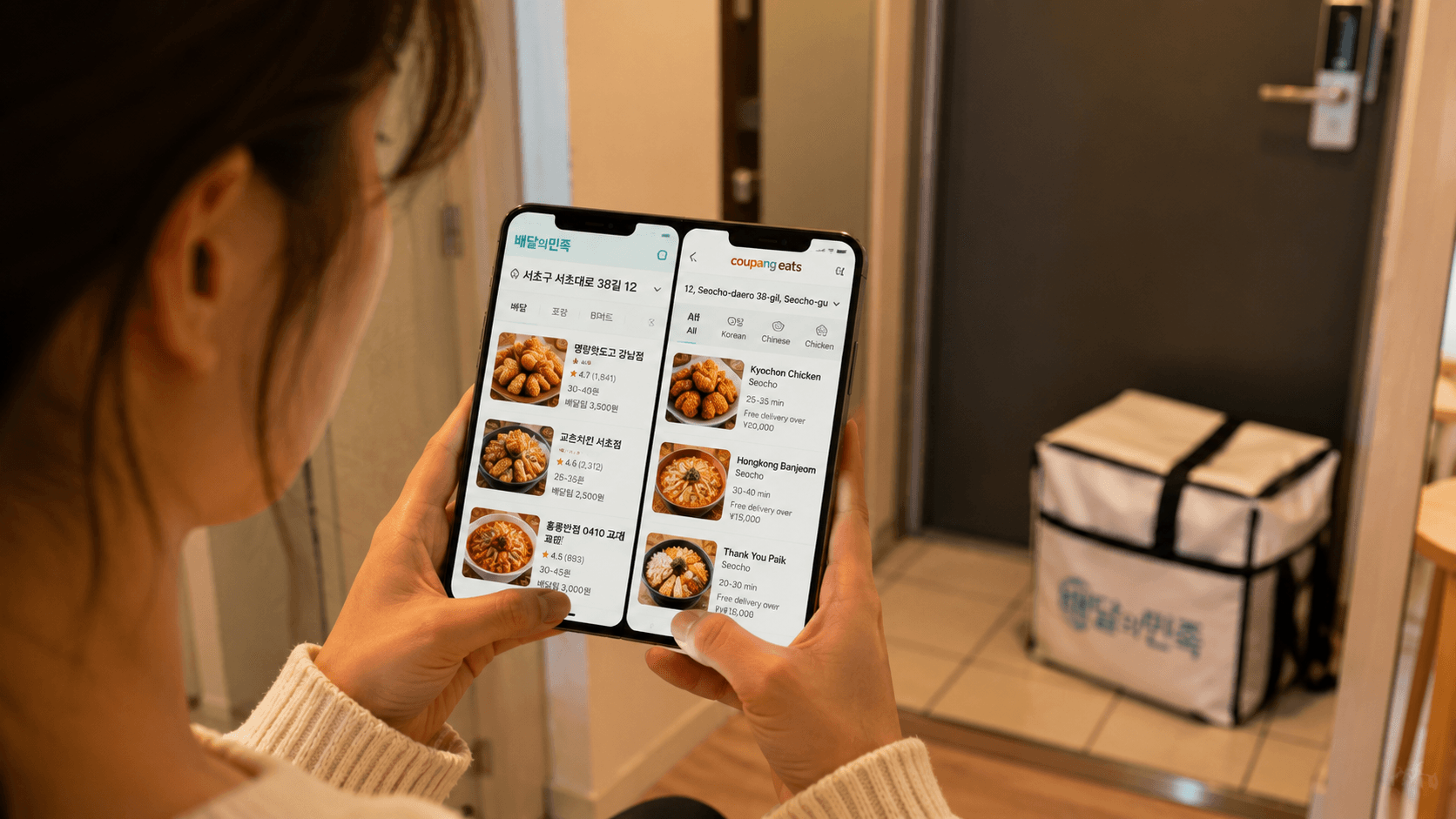
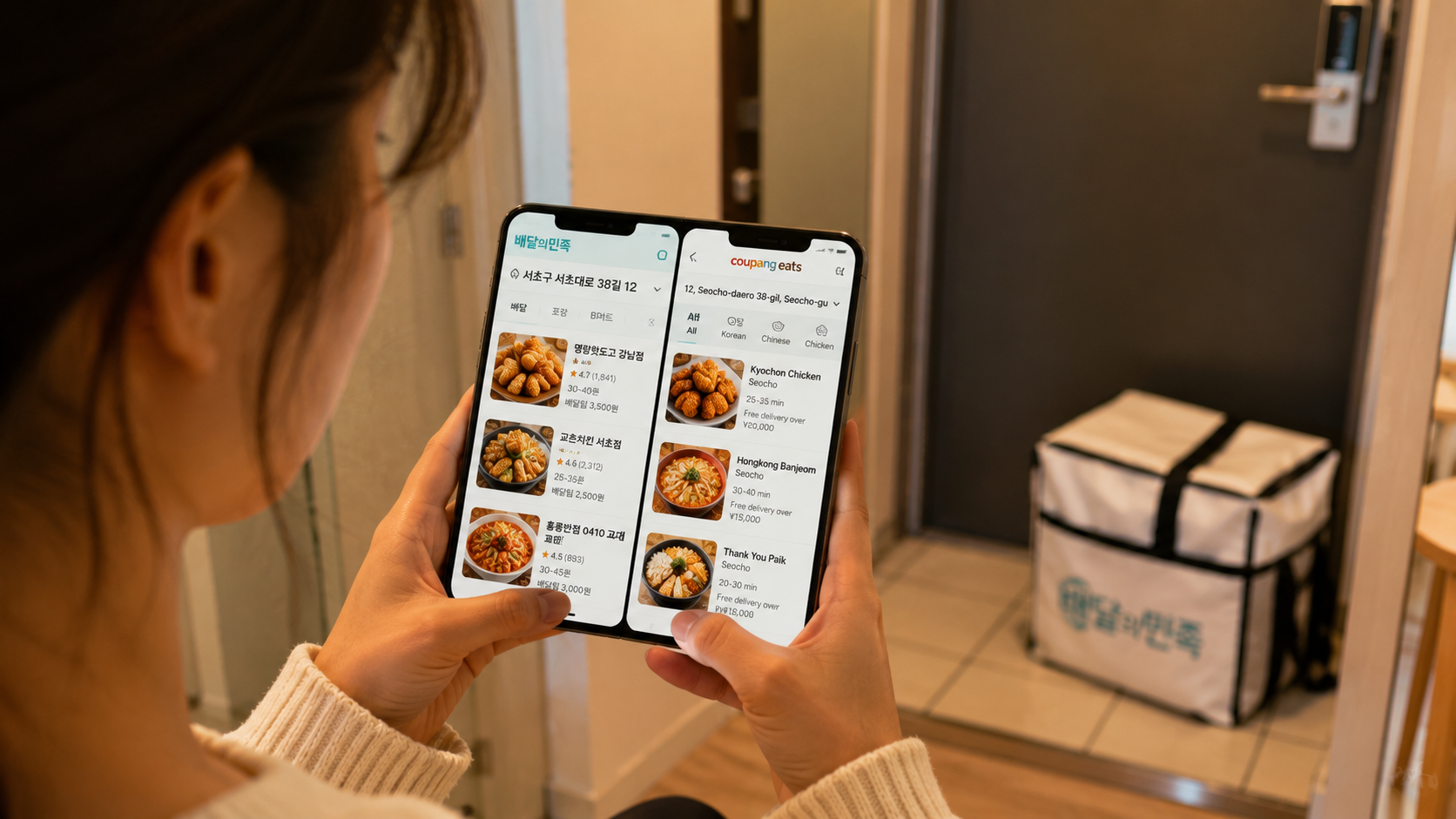
Food delivery in South Korea is fast and widely available, but the ordering process can be difficult without a Korean phone number, a locally issued payment method, or a Korean-language address. Short-term visitors should start with Shuttle Delivery where it operates, while residents with Korean mobile service will usually find a wider selection on Baemin, Coupang Eats, or Yogiyo.
Payment methods, delivery fees, promotions, service areas, and app interfaces can change. The details below were verified on June 11, 2026. Always confirm the final price and accepted payment method on the checkout screen.
Quick answer
| App | Most suitable for | Language situation | Payment considerations |
|---|---|---|---|
| Baemin (배달의민족) | Broad restaurant, grocery, and convenience-store selection | Primarily designed for the Korean market; the official website includes a foreigner information entry | Do not assume that every foreign-issued card will work; check the available methods at checkout |
| Coupang Eats (쿠팡이츠) | Simple restaurant ordering, live tracking, and pickup | Primarily designed for the Korean market | Payment is closely connected to Coupang and Coupay; account and card compatibility can vary |
| Yogiyo (요기요) | Comparing restaurants, single-person meals, and grocery or convenience-store orders | Primarily Korean | Available payment methods vary by order and account |
| Shuttle Delivery | Visitors who need an English interface and international-card support | English and Korean | The company confirms acceptance of major credit cards and Korean debit cards |
There is no single app that works perfectly for every foreign visitor. Your options depend on your location, phone number, account verification, card issuer, and the restaurant itself.
The main food delivery apps
Baemin: broad selection and multiple delivery services
Baemin, short for Baedal Minjok (배달의민족), covers restaurant delivery as well as groceries, convenience items, and other shopping services. Its official website lists standard restaurant delivery, B Mart (B마트), grocery and shopping delivery, pickup-related services, and Baemin Pay.
Restaurant listings may offer different delivery types. For example, 한집배달 generally means that the rider handles one customer's order on that trip, while 알뜰배달 groups deliveries to reduce the fee. The exact options, prices, and estimated times depend on the restaurant and destination.
Baemin is useful when you want:
- A large choice of Korean restaurants
- Late-night food, coffee, desserts, or single-person meals
- Convenience-store and grocery delivery
- Detailed customer reviews and menu photographs
- A choice between faster and lower-cost delivery where available
The service is built mainly for domestic users. Baemin's website has a For foreigners page, but language, registration, and payment functionality should still be checked on your device. Do not rely on an overseas card until the app accepts it and displays a completed order.
Coupang Eats: straightforward ordering and live tracking
Coupang Eats (쿠팡이츠) emphasizes restaurant delivery, pickup, live rider-location tracking, and one-touch payment. These functions are described on the official Coupang Eats website.
It may be convenient if you already have a working Coupang account and an accepted payment method. Some benefits are linked to Coupang Wow membership, but membership prices, free-delivery conditions, eligible restaurants, and promotional offers can change. Read the current conditions in the app before subscribing solely for food delivery.
A newly created account may require mobile verification or additional payment authentication. Foreign users should not assume that an international version of Coupang or an overseas account will automatically work with the Korean Coupang Eats service.
Yogiyo: restaurant categories and single-person ordering
Yogiyo (요기요) provides familiar categories such as Korean food, chicken, Chinese food, pizza, Japanese food, snacks, cafés, late-night meals, and convenience-store or supermarket products. Its official mobile website also lists a one-person-order category, written as 1인분 주문.
Yogiyo can be useful for comparing minimum orders and delivery charges across nearby restaurants. Its official website lists a customer service number, 1661-5270, as operating 24 hours a day throughout the year. Telephone assistance should not be assumed to be available in English.
As with the other domestic platforms, payment and identity verification can be the main obstacles for travelers. Confirm what the app offers for your specific account instead of relying on older online guides, since supported payment methods can change.
Shuttle Delivery: the clearest option for English-language ordering
Shuttle Delivery operates in English and Korean. Its official site states that it currently serves selected communities in Seoul, Osan, Pyeongtaek, Daegu, and Busan, including areas around Osan Air Base, Camp Humphreys, Camp Walker, and Camp Henry. Coverage is not citywide in every listed location, so enter your address before choosing a restaurant.
Shuttle's official FAQ confirms that:
- Accounts can be created with an email address.
- Major credit cards and Korean debit cards are accepted.
- Orders must be prepaid at checkout.
- Delivery fees increase with distance.
- Normal delivery in the minimum delivery area is estimated at about 40 to 60 minutes, although weather, distance, cuisine, and rider availability affect this.
- Its stated service hours are 10:00 to 22:00 daily, including holidays.
These hours and service areas were verified on June 11, 2026. Restaurant hours may be shorter, and the platform may stop accepting an order before its general closing time.
Shuttle usually has a smaller restaurant selection than the major domestic apps. Its practical advantage is accessibility for people who cannot complete Korean phone or payment authentication.
What you need before ordering
1. A precise delivery address
Korean delivery apps identify restaurants according to your exact location. Obtain the address in Korean from your hotel, landlord, university, host, or accommodation booking page.
A complete address may include:
- Road-name address
- Building name
- Building or entrance number
- Floor and room number
- Apartment block, called 동
- Apartment unit, called 호
You can look up Korean road-name addresses through the government's English road-name address service.
Do not select a nearby landmark unless you genuinely plan to meet the rider there. In large apartment complexes, the wrong entrance or building number can add considerable delay.
2. A reachable phone number
Domestic apps may request mobile verification during registration or payment. A data-only travel eSIM may not receive Korean calls or SMS messages, so check its features before relying on it.
Even after the order is accepted, the restaurant or rider may call if an item is unavailable or the entrance is difficult to find. Enter a number that you can answer. If you cannot speak Korean, save a brief message such as:
한국어를 잘 못해요. 문자로 부탁드립니다.
This means: “I do not speak Korean well. Please send a text message.”
It is a practical request, not a guarantee that the rider can communicate in English.
3. A compatible payment method
A card carrying an international network logo can still be rejected by a Korean app. The problem may involve the platform's payment processor, domestic identity authentication, the issuing bank, or the card's online-transaction settings.
For the least uncertainty:
- Use Shuttle where available if you need confirmed major-credit-card support.
- Residents can try a Korean-issued credit or debit card.
- Check whether the domestic app offers payment at delivery, but do not assume this option will appear for every restaurant.
- Keep a second payment method available.
- Contact your card issuer if an accepted card fails during authentication.
Never consider the order complete merely because your card screen briefly showed a pending charge. Check that the app displays an order number and an accepted or preparing status.
How to place an order step by step
Step 1: Set the address first
Enter or pin the exact destination before browsing. Restaurant availability, minimum order amounts, delivery fees, and estimated times are calculated from this location.
At a hotel, ask reception whether riders can enter the lobby or must meet customers outside. Some hotels may restrict outside food delivery or require collection at the main entrance.
Step 2: Check the restaurant status
Look for 영업중, meaning open, rather than 준비중 or 영업종료, meaning preparing to open or closed. A restaurant can stop taking delivery orders before its dining room closes.
Also check:
- 최소주문: minimum order
- 배달팁 or 배달비: delivery fee
- 예상시간: estimated time
- 포장: pickup or takeaway
- 품절: sold out
Step 3: Read menu options carefully
Many dishes require a choice of size, spice level, sauce, side dish, or serving quantity. A low headline price may apply only to the smallest size or may require paid options before it can be added to the basket.
Useful terms include:
| Korean | Meaning |
|---|---|
| 맵기 | Spice level |
| 안 맵게 | Not spicy |
| 덜 맵게 | Less spicy |
| 보통맛 | Regular spice level |
| 추가 | Add or extra |
| 선택 | Select |
| 필수 | Required |
| 일회용 수저 | Disposable spoon and chopsticks |
| 리뷰 이벤트 | Free item offered under the restaurant's review-promotion conditions |
Do not select a review promotion unless you understand and intend to follow its stated conditions.
Step 4: Review the full total
The amount payable may include menu prices, paid options, a delivery fee, a small-order charge, or a service-related charge. Discounts can have minimum-spend, membership, payment-method, or restaurant restrictions.
Use the final checkout total rather than the discount banner to compare apps.
Step 5: Choose the handover method
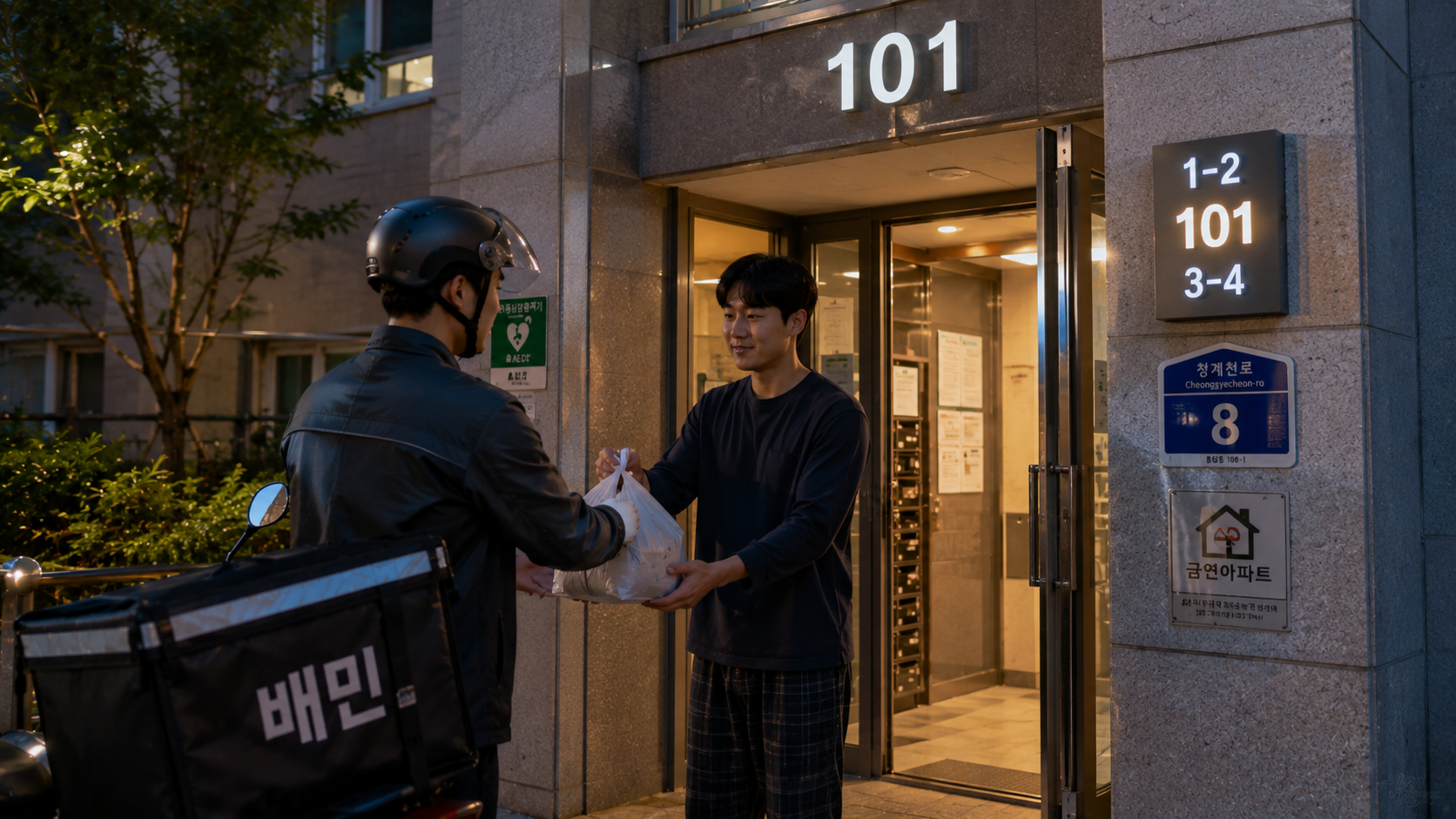
Common instructions include:
- 문 앞에 놓아주세요: Please leave it outside the door.
- 직접 받을게요: I will receive it in person.
- 도착하면 전화주세요: Please call when you arrive.
- 도착하면 문자주세요: Please text when you arrive.
- 공동현관 비밀번호: Building entrance code.
Avoid putting a shared-door security code into an order unless the property allows it. A hotel guest should normally arrange collection in the lobby or outside.
Step 6: Monitor the order
Keep notifications enabled and stay near your phone. Estimated times are not guaranteed, particularly during rain, snow, meal peaks, major sporting events, or holidays.
If the restaurant cancels an item, the app may issue a partial or full refund. Processing time after cancellation depends on the platform, payment processor, and card issuer.
Common problems and practical solutions
The address is not recognized
Search using the Korean road-name address without the room number first. Add the building, floor, apartment block, and unit in the detailed-address field. Ask your accommodation for the exact Korean spelling if search results remain unclear.
The foreign card is rejected
Try only the payment methods officially offered on the checkout screen. Repeated attempts can create multiple temporary authorizations. If necessary, use a different app, contact the issuer, or ask your hotel whether it can help arrange an order. Do not give card details to an unknown individual who offers to order privately.
The rider calls in Korean
Send your prepared text message and move to an easy-to-identify entrance. A translation app can help with short messages, but avoid complicated machine-translated directions. Building name, entrance number, floor, and clothing color are more useful than a long explanation.
Food appears to have been delivered but is missing
Check the main entrance, side entrance, lobby desk, and the door of the corresponding apartment on adjacent floors. Compare the delivery photograph, if provided, with your building. Report the problem through the app promptly rather than contacting the rider repeatedly.
You are ordering to a park or public place
Outdoor handovers are possible only when the app and rider can identify a legal, accessible meeting point. Use a numbered park gate, convenience store, or clearly marked building entrance. Remain at the pin and answer your phone. Do not expect the rider to search a large park, beach, or festival area.
Costs, timing, and tipping
There is no reliable nationwide delivery fee or minimum order. Both depend on distance, demand, restaurant policy, membership, promotions, and delivery type. Confirm them for each order on June 11, 2026 or your actual ordering date.
A displayed estimate is not an appointment. Allow additional time during the lunch and dinner peaks and in bad weather. Order before you become dependent on a strict departure time, train connection, or hotel checkout.
Shuttle explicitly states that its drivers do not expect tips. The domestic apps generally present the payable amount during checkout, so do not add an unrequested cash payment. If an individual demands extra money that was not shown in the order, contact the platform before paying.
What to check before you order
- Confirm that the app covers your exact destination.
- Obtain the address in Korean, including the building and unit details.
- Check whether your phone can receive calls and SMS messages in Korea.
- Verify the minimum order and final delivery fee.
- Read required menu choices before adding the item.
- Confirm allergies directly with the restaurant when medically necessary; app filters and machine translation are not sufficient guarantees.
- Ask your hotel or residence where deliveries should be collected.
- Keep notifications and sound enabled until the order arrives.
- Check that the order was accepted, not merely submitted.
- Avoid placing an order close to checkout, airport departure, or the last train.
FAQ
Can I order food in Korea without a Korean phone number?
Shuttle allows registration by email according to its official FAQ, although a reachable number remains useful for delivery updates. Domestic apps may require mobile verification depending on the account and transaction. Requirements should be checked in the current app.
Which Korean delivery app accepts foreign credit cards?
Shuttle officially confirms acceptance of major credit cards. Reliable, universal acceptance of foreign-issued cards could not be confirmed for Baemin, Coupang Eats, or Yogiyo as of June 11, 2026, so this guide does not promise that they will work.
Can I order to a hotel?
Usually only when the hotel permits outside delivery and provides an accessible collection point. Enter the hotel's Korean address and arrange to meet the rider in the lobby or outside. Do not send a rider to a guest-room floor without the hotel's permission.
Are food delivery apps available throughout Korea?
The major domestic apps operate broadly, but actual availability is determined by the address and nearby restaurants. Rural areas, islands, mountain accommodations, and late-night destinations may have few or no options. Shuttle serves only selected areas listed on its official site.
Where can a visitor get multilingual help?
The Korea Tourism Organization's 1330 Korea Travel Helpline provides tourist information and interpretation assistance by telephone and online chat. Call 1330 within Korea or +82-2-1330 from overseas. It is not a replacement for an app's customer service, but it may help with general communication or tourism-related difficulties.
Sources
- Baemin official website
- Baemin information for foreigners
- Coupang Eats official website
- Yogiyo official mobile website
- Shuttle Delivery official website
- Shuttle Delivery official FAQ
- Korean government road-name address service
- Korea Tourism Organization 1330 Travel Helpline
Before your first order, ask your accommodation for its Korean address and designated delivery entrance, then test your chosen app and payment method before the kitchen's closing time.