Most visitors to South Korea need about 1–2 GB of mobile data per day for maps, public transport information, messaging, translation, web searches, and moderate social media use. For a one-week trip, 10–15 GB is a sensible allowance. Choose unlimited data if you expect to stream video, upload many photos, use your phone as a hotspot, or simply do not want to monitor consumption.
The estimates below are planning guidelines, not carrier measurements. Your actual use will depend heavily on video quality, automatic backups, app settings, and whether you regularly connect to Wi-Fi.
Quick answer
| Usage style | Suggested data | Typical activities |
|---|---|---|
| Very light | 300–500 MB per day | Messaging, occasional maps, basic searches |
| Light | 500 MB–1 GB per day | Maps, translation, messaging, some social media |
| Typical traveler | 1–2 GB per day | Frequent navigation, transport apps, restaurant searches, photo sharing |
| Heavy | 3–5 GB per day | Video calls, reels, frequent uploads, some streaming |
| Very heavy | Unlimited | HD video, cloud backups, hotspot use, remote work |
For common trip lengths, that translates into approximately:
- 3 days: 3–6 GB for typical use
- 5 days: 5–10 GB
- 7 days: 7–14 GB; buying 10–15 GB gives you some margin
- 10 days: 10–20 GB
- 14 days: 15–30 GB
- 30 days: 30–60 GB for moderate use, or unlimited for heavy use
Why travelers use mobile data frequently in Korea
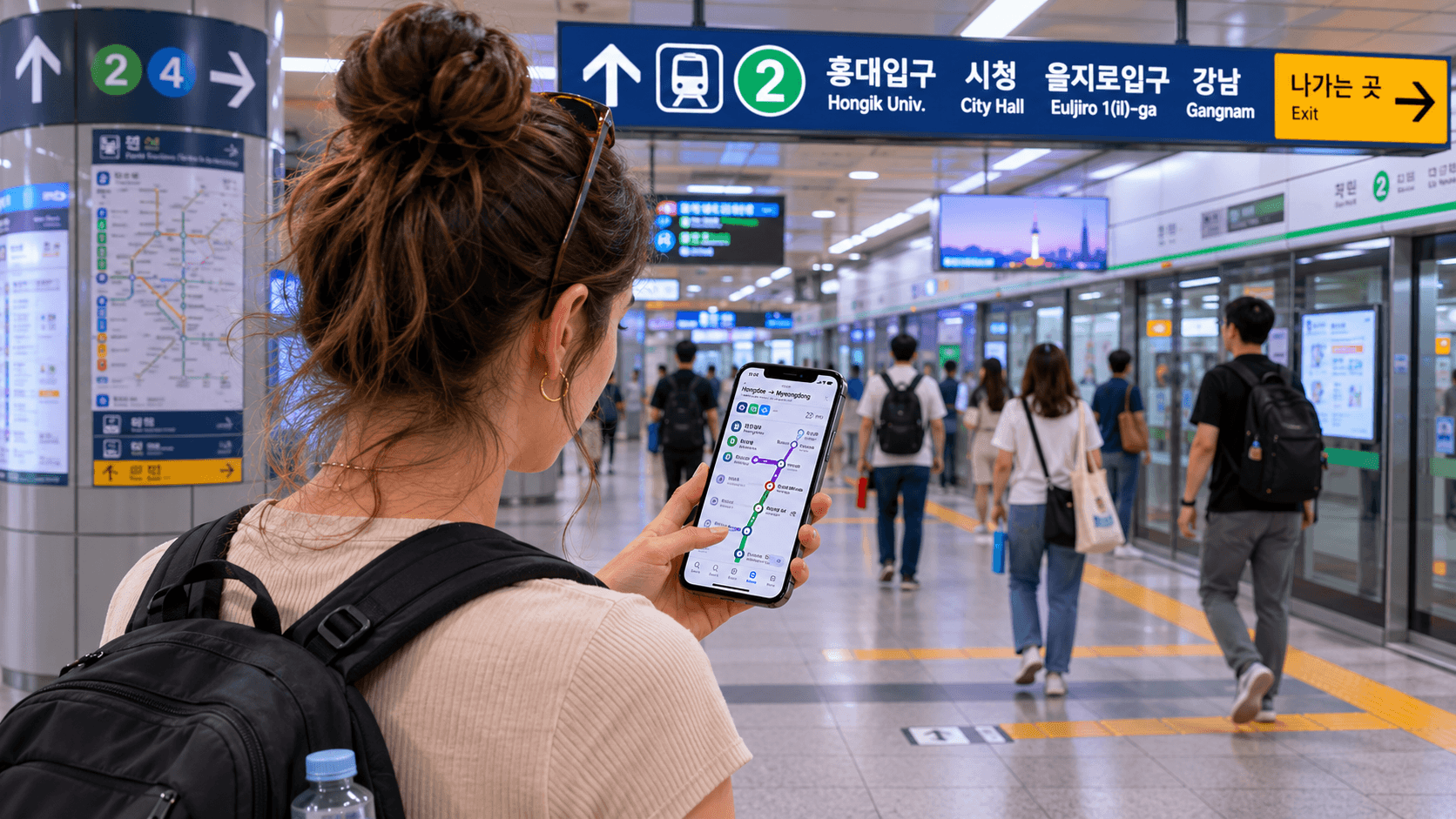
A working connection is particularly useful in Korea because daily travel can involve several different apps. You may use data to check subway and bus routes, search Korean addresses, translate signs or menus, call a taxi, message accommodation staff, and look up opening hours.
Maps and text-based information generally consume relatively little data. Photos, short-form video, video calls, cloud synchronization, and hotspot connections are the main sources of unexpectedly high consumption.
Korea also has public Wi-Fi at airports, some subway and railway stations, and other public locations. The Korea Tourism Organization’s communications guide confirms that free public Wi-Fi is available in a range of transport and public facilities. However, coverage, login requirements, and connection quality vary, so public Wi-Fi should be treated as a supplement rather than your primary travel connection.
Choose your allowance by activity
Maps, public transport, and place searches
Regular route searches and live navigation are unlikely to exhaust a large plan by themselves. A light user relying mainly on maps, transit information, messaging, and web searches can often stay below 1 GB per day.
Do not plan to remain completely offline, however. Live public transport results, current traffic information, restaurant details, and last-minute route changes require a connection. Google also notes that its offline maps do not provide public transport, walking, or cycling directions when offline in supported areas. See the official Google Maps offline navigation guidance.
Messaging and voice calls
Text messages through KakaoTalk, WhatsApp, LINE, iMessage, or similar services use little data. Internet voice calls also tend to be manageable on a limited plan, although long or frequent calls add up.
Video calls are substantially heavier. If you expect daily video meetings or long calls with family, budget at least 2–3 GB per day or choose unlimited data.
Social media and photo uploads
Scrolling through image-heavy feeds can consume more data than navigation. Short-form video feeds may continue loading clips automatically, even when you do not watch each one fully.
Uploading a few compressed photos is usually not a problem. Uploading full-resolution photos and videos throughout the day can use several gigabytes, particularly if your phone is also backing up the same files to iCloud, Google Photos, OneDrive, or another cloud service.
Music and video streaming
Downloaded music and podcasts require no mobile data during your trip. Continuous music streaming is less demanding than video but can still become significant over a week.
Video is the clearest reason to buy a large or unlimited plan. Higher resolutions require much more bandwidth than standard definition; YouTube’s official guidance notes that HD generally means 720p or 1080p, while UHD can reach 4K. If you plan to watch shows, livestreams, or long YouTube videos while traveling, unlimited data removes the need to manage quality and remaining allowance.
Hotspot and remote work
A phone used as a personal hotspot can consume data quickly because a connected laptop may download operating-system updates, synchronize cloud folders, load desktop websites, or join video meetings.
For occasional email and document work, a 20–30 GB plan may be enough for a short trip. For daily remote work, frequent video meetings, or sharing one connection among several devices, choose unlimited data and confirm that the plan permits tethering. “Unlimited” does not automatically guarantee unrestricted hotspot use; read the provider’s fair-use and tethering conditions before purchase.
Limited data or unlimited data?
A limited plan is usually enough when:
- You are visiting for fewer than seven days.
- You mainly need maps, translation, messaging, and basic searches.
- Your accommodation has dependable Wi-Fi.
- You download entertainment before departure.
- You disable cloud backups and automatic app updates.
- You are comfortable checking your usage.
A typical one-week visitor in this category should look for around 10–15 GB.
Unlimited data is worth considering when:
- You stream or upload video every day.
- You use Instagram Reels, TikTok, YouTube, or livestreaming extensively.
- You need a hotspot for a laptop or travel companion.
- You will work remotely.
- You are staying for several weeks.
- You do not want to troubleshoot top-ups in Korea.
Unlimited tourist products are widely available from Korean carriers, but the word “unlimited” requires careful reading. Some products provide unrestricted high-speed data, while others reduce the speed after a daily or total high-speed allowance. A reduced connection may still handle maps and messages but be less suitable for video, large uploads, or hotspot work.
Current tourist-plan price reference
Prices and product terms below were verified on June 9, 2026 and may change.
As one official-carrier example, the LG U+ Korea data-only eSIM listed unlimited LTE options at ₩6,500 for one day, ₩12,000 for two days, ₩18,000 for three days, ₩23,000 for four days, and ₩27,500 for five days. The page described that specific product as having no speed cap or throttling. It also stated that the eSIM must be activated within 60 days of purchase, cannot be reissued after installation, and is non-refundable after payment.
SK Telecom’s official visitor reservation page listed the same short-term prices for its data eSIM: ₩6,500 for one day, ₩12,000 for two days, ₩18,000 for three days, ₩23,000 for four days, and ₩27,500 for five days. SK Telecom described continuous data service at up to 100 Mbps for the displayed visitor product.
These are price references, not recommendations that one carrier will suit every phone or itinerary. Compare validity, high-speed limits, hotspot rules, activation procedures, refund terms, airport collection requirements, and device compatibility on the checkout page.
SIM, eSIM, roaming, or pocket Wi-Fi?
Tourist eSIM
An eSIM is often the simplest choice if your phone supports it and is carrier-unlocked. You receive or collect a digital profile instead of inserting a plastic card. Compatibility is specific to both the device and provider, so appearing to support eSIM in your phone settings does not guarantee acceptance by every Korean product.
Install the eSIM while you have reliable Wi-Fi, but follow the provider’s instructions about when to activate it. Some plans begin when they first connect to a Korean network or use data; others may use a different validity rule.
Physical SIM
A physical SIM is useful for phones without eSIM support or for travelers who want staff assistance at an airport counter. Keep your home SIM in a secure place after removal. The Korea Tourism Organization lists carrier roaming centers at Incheon, Gimpo, Gimhae, and Jeju airports, although individual counter locations and operating hours should be checked with the carrier before arrival.
International roaming
Roaming through your home carrier requires the least setup and preserves normal service on your existing number. It may also cost more or include a smaller high-speed allowance than a Korean tourist plan. Check whether your quoted allowance is per day or for the entire trip, whether speeds are reduced after a threshold, and whether incoming calls incur charges.
Pocket Wi-Fi
A portable Wi-Fi router can make sense for a family or group sharing one connection. The disadvantages are carrying and charging another device, staying close to the person holding it, and returning the equipment. Confirm the number of simultaneous devices, battery arrangements, deposit, collection location, and late-return charges.
Do you need a Korean phone number?
Mobile data and a Korean telephone number are separate features. A data-only eSIM may provide internet access without usable voice calls or SMS verification.
A local number can be useful for accommodation contact, restaurant waiting lists, delivery services, and some reservation or taxi functions. However, a prepaid visitor number may still not support formal Korean identity verification used by banks, government services, or age-restricted platforms. LG U+ states that SMS verification for certain restaurant and taxi reservation apps is available on its voice-capable product, but banking and government identity verification is not supported.
Before buying, check whether the plan includes:
- A Korean
010mobile number - Incoming calls and texts
- Outgoing calls and texts
- An initial voice-call balance or separate top-up
- Ordinary SMS codes
- Passport verification at an airport counter
Do not choose a plan solely because the listing displays a Korean number.
How to reduce your data use
- Download entertainment before departure. Save music, podcasts, shows, language packs, and travel documents over Wi-Fi.
- Pause photo and video backups. Set cloud services to upload only on Wi-Fi.
- Disable automatic app and system updates. A single update can consume a substantial part of a small allowance.
- Reduce video quality. Select standard definition or a data-saving mode in streaming and social media apps.
- Restrict background data. Prevent nonessential apps from refreshing when they are not open.
- Save addresses in Korean. Keep screenshots or notes containing your hotel and important destinations in Hangul for use if your connection fails.
- Use trusted Wi-Fi for large transfers. Upload videos and download files at your accommodation rather than on mobile data.
- Watch Wi-Fi assist features. Phones may silently switch to mobile data when a Wi-Fi signal is weak.
On an iPhone, Apple explains how to view consumption by app, reset the current-period statistics, and disable cellular access for individual apps in its cellular data guide. Apple’s Low Data Mode instructions also explain how to restrict background network use.
Check your real usage before choosing
Your own phone provides a better estimate than a generic calculator.
- Open your mobile or cellular data settings.
- Find usage for a recent seven-day period, if your device or carrier provides it.
- Separate ordinary daily use from unusual downloads or hotspot sessions.
- Multiply the daily average by the length of your Korea stay.
- Add a 20–30% buffer for additional navigation, translation, and travel research.
For example, if you normally consume 800 MB per day, seven days would equal 5.6 GB. Adding a 30% buffer gives about 7.3 GB, so a 10 GB plan would be a practical choice.
If your phone shows 2.5 GB per day, a seven-day trip could require about 17.5 GB before adding any margin. In that case, a 20–30 GB or unlimited plan is more appropriate.
What to check before you go
- Confirm that your phone is carrier-unlocked.
- Verify eSIM or physical-SIM compatibility with the provider.
- Check whether the plan is measured in calendar days or 24-hour periods.
- Read the high-speed allowance and reduced-speed conditions.
- Confirm whether tethering is permitted.
- Decide whether you need a Korean number and SMS reception.
- Check activation, passport verification, collection, and refund rules.
- Record the provider’s support contact details.
- Keep the QR code or activation instructions accessible offline, while protecting them from other people.
- Turn off data roaming on your home SIM unless your home carrier specifically requires it for an active roaming package.
For most first-time visitors, the practical choice is 10–15 GB for one week or unlimited data for heavy media and hotspot use. Once you know your allowance, compare official carrier terms and complete installation before leaving dependable airport or accommodation Wi-Fi.