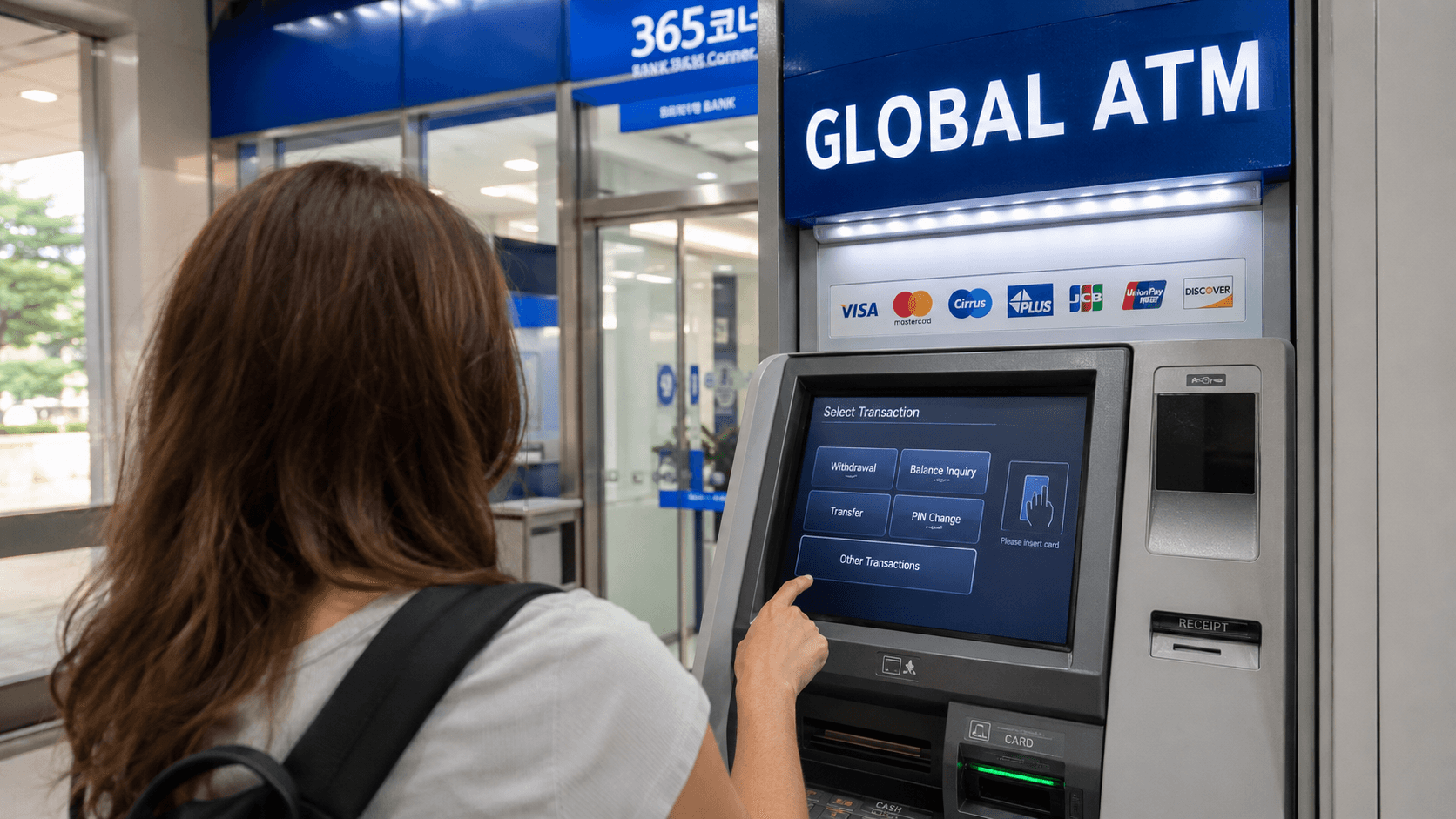
You can withdraw Korean won (KRW) in South Korea with many internationally issued debit and credit cards, but not every ATM accepts foreign cards. Look for a machine marked Global ATM, International ATM, or displaying your card network's logo. Bank ATMs are generally the most reliable choice.
Information about ATM availability, airport operating hours, and card networks was verified on June 9, 2026. Withdrawal fees, exchange rates, and transaction limits vary by ATM operator and card issuer, so check the figures shown on the ATM screen before confirming.
Quick answer
- Use an ATM at a major Korean bank or international airport.
- Look for Global ATM, International Cards, or your card network logo.
- Insert your physical card and select English.
- Choose Withdrawal and, if asked, select a checking or current account for a debit card.
- Enter the amount in Korean won.
- Review the withdrawal fee and exchange-rate options.
- If offered conversion into your home currency, normally choose to be charged in KRW instead.
- Take your card, cash, and receipt before leaving.
Carry a second payment card and some backup cash. A card that works at one Korean ATM may still be rejected by another because the machines can use different networks or transaction rules.
Which Korean ATMs accept foreign cards?
International withdrawal support is usually indicated by one or more of these signs:
- Global ATM or Global Service
- International ATM or Foreign Cards
- Visa or Plus
- Mastercard, Maestro, or Cirrus
- JCB
- UnionPay
Hana Bank's official ATM information confirms that its Global ATMs can recognize overseas cards carrying Mastercard, Maestro, Cirrus, Visa, Plus, JCB, or UnionPay branding, although availability can still depend on the issuing country and card company.
A machine displaying a familiar network logo is not a guarantee of approval. Your card issuer must also permit overseas cash withdrawals, and the account must have a suitable withdrawal limit.
Where to look first
Try ATMs operated by major banks such as:
- KB Kookmin Bank
- Shinhan Bank
- Hana Bank
- Woori Bank
- NH NongHyup Bank
- IBK Industrial Bank of Korea
- Busan Bank and other regional banks
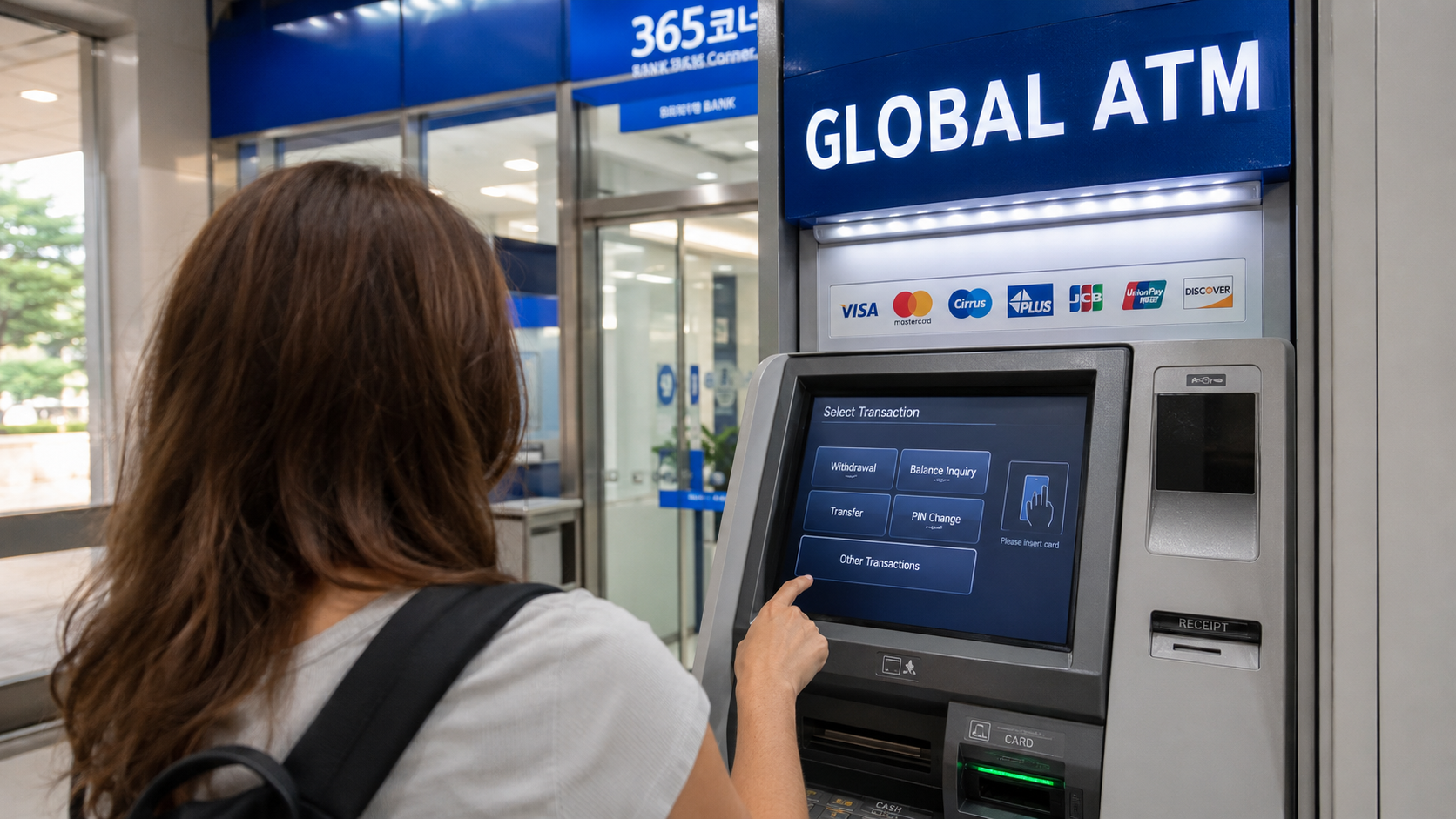
Bank branches often have an ATM area called a 365 Corner or 365 Auto Banking Corner. The name means that the machines are intended to provide services throughout the year; it does not necessarily mean that every location is open 24 hours.
You may also find ATMs in airports, subway stations, department stores, shopping centers, hotels, and convenience stores. Independent or convenience-store machines can be useful, but check the operator fee carefully. A bank ATM is a sensible first choice when several machines are available.
Withdrawing cash step by step
ATM wording differs by bank, but the basic process is similar.
1. Check the machine before inserting your card
Confirm that the ATM shows your network logo or an international-card sign. Avoid using a machine if the card slot looks loose, damaged, or unusually bulky.
2. Select the foreign-card service
Some Korean ATMs ask you to choose Domestic Card or Foreign Card before inserting the card. Others detect the card automatically. Look for buttons such as:
- English
- Foreign Card
- Overseas Card
- Global Service
- International Card
The Korean word for withdrawal is 출금 (chulgeum), although the international menu should normally provide English instructions.
3. Insert your card and enter the PIN
Use the PIN assigned by your home bank for ATM withdrawals. Verify before traveling that the card is enabled for international ATM use.
Cover the keypad while entering the PIN. Do not repeatedly guess if the machine rejects it, because your issuer may block the card after several incorrect attempts.
4. Choose the transaction and account type
Select Cash Withdrawal or Withdrawal. A debit card may then present account choices such as:
- Checking or Current
- Savings
- Credit
For an ordinary debit card connected to your everyday bank account, Checking or Current is generally the appropriate choice. Account naming varies between countries, so confirm this with your card issuer if you are uncertain.
Using a credit card normally creates a cash advance, not a standard purchase. Cash advances may attract an issuer fee and begin accruing interest immediately. Check your card's terms before relying on this option.
5. Enter the amount in KRW
Korean ATMs dispense Korean won. Common banknotes are ₩1,000, ₩5,000, ₩10,000, and ₩50,000, as listed by the Seoul Metropolitan Government's currency guide.
The machine may offer preset amounts or allow you to enter another figure. Per-transaction limits vary, and your home bank may impose a lower daily limit. If a large withdrawal fails, try a smaller amount rather than immediately repeating the same transaction.
6. Review fees and currency conversion
Read every confirmation screen. The ATM may disclose its own access fee before completing the withdrawal. Your home bank may separately charge:
- An overseas ATM fee
- A percentage-based foreign transaction fee
- An exchange-rate margin
- A cash-advance fee for credit cards
The Korean ATM cannot reliably show fees charged later by your own bank.
7. Collect everything
Wait until the transaction has completely finished. Depending on the machine, the card may be returned before or after the cash is dispensed.
Take:
- Your card
- The cash
- The receipt, if requested
Count the money discreetly and move away from the ATM before organizing your wallet.
Always examine the currency-conversion choice
An ATM may offer to convert your withdrawal into your card's home currency. This is called dynamic currency conversion, or DCC.
For example, you might request ₩200,000 and then see a choice between:
- Continue in KRW
- Accept a displayed amount in USD, EUR, GBP, AUD, or another home currency
Accepting the home-currency figure means the ATM's conversion provider sets the exchange rate and may include a markup. Choosing KRW normally leaves conversion to your card network and issuer. That is often less expensive, although the final cost depends on your card agreement.
Visa's official explanation of dynamic currency conversion states that ATMs offering DCC should show the exchange rate, converted amount, and additional fees or markup, while allowing the cardholder to accept or decline conversion.
Practical rule: select KRW, local currency, decline conversion, or continue without conversion unless you have compared the displayed rate and deliberately want the ATM's conversion. Declining DCC does not mean cancelling the withdrawal; read the wording carefully because button labels differ.
How much does an ATM withdrawal cost?
There is no single nationwide fee for foreign-card withdrawals. The total can contain charges from several parties.
| Possible charge | Who sets it | Where to check |
|---|---|---|
| ATM access fee | Korean bank or ATM operator | Confirmation screen before withdrawal |
| Overseas ATM fee | Your card issuer | Card fee schedule or banking app |
| Foreign transaction fee | Your card issuer | Card terms |
| Exchange-rate margin | Card network, issuer, or DCC provider | Transaction details and conversion screen |
| Cash-advance fee and interest | Credit-card issuer | Credit-card terms |
Because these charges change by card and machine, a fixed fee cannot be confirmed for all travelers as of June 9, 2026. Do not rely on an old blog post quoting a universal Korean ATM fee.
To reduce repeated charges, it may be cheaper to make one moderate withdrawal instead of several small ones. Balance that against the risk of carrying more cash than you need.
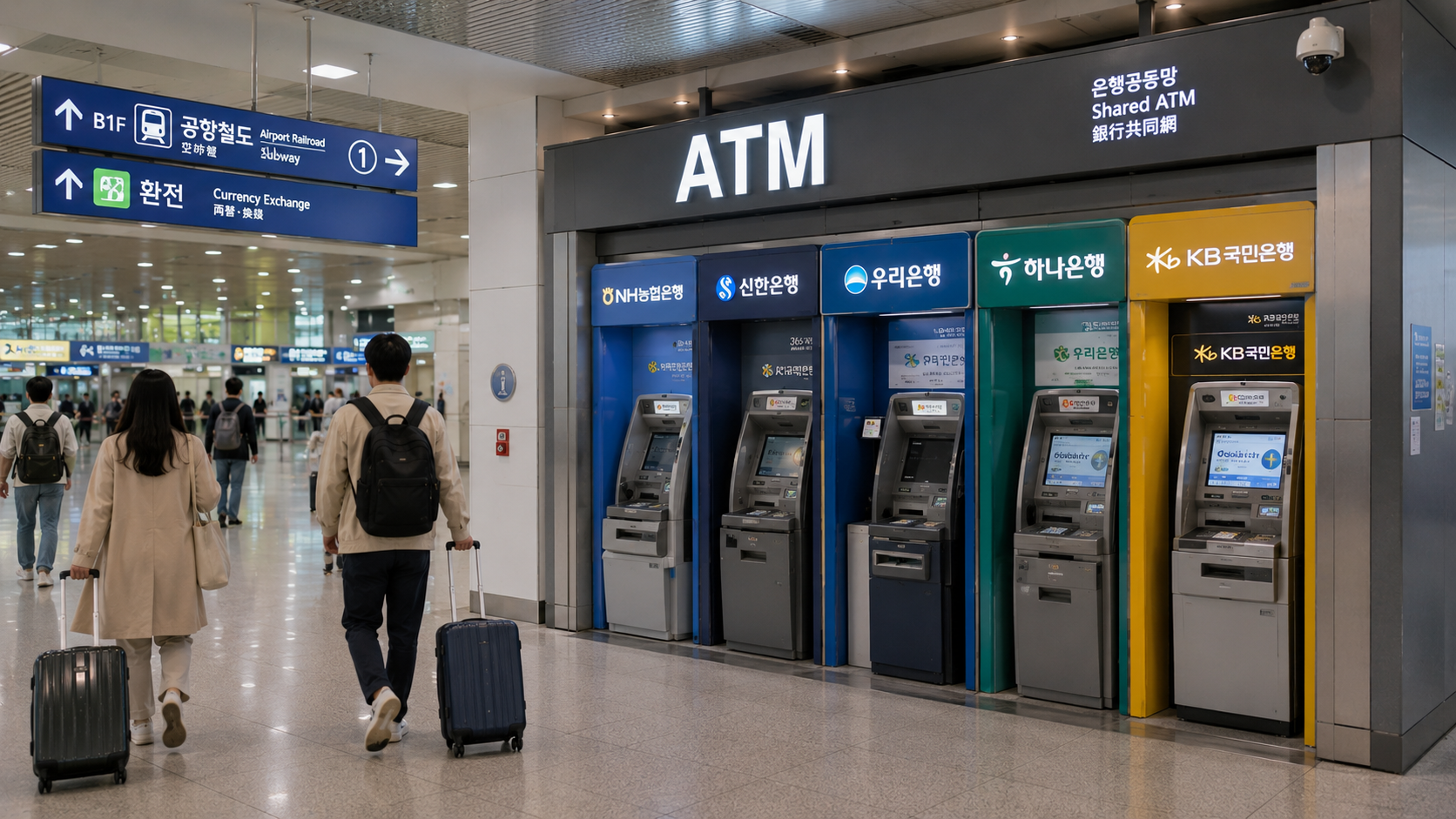
Getting cash at Incheon International Airport
Incheon International Airport has bank and shared ATMs in its passenger terminals. According to the airport's official financial-facilities listings, checked on June 9, 2026, some shared and bank ATMs are listed as operating 24 hours, while several bank-operated locations list hours such as 06:00-22:00. Locations and hours vary by terminal, floor, and operator.
Use the airport facility search shortly before arrival rather than assuming that a particular bank counter or ATM will be open. The public arrivals area is usually more convenient than searching after you have boarded airport transport.
Airport ATMs are useful for obtaining an initial amount for transport, food, or other immediate expenses. You do not need to withdraw your entire trip budget on arrival.
Common reasons a withdrawal fails
The ATM does not support international cards
Return to the opening screen and look for a foreign-card menu. If there is none, try a Global ATM at another bank.
Overseas withdrawals are disabled
Some banks disable international ATM transactions by default. Check your banking app or contact the issuer using the number on the back of the card.
The amount exceeds a limit
The ATM, Korean operator, card network, and issuing bank can each apply limits. Try a smaller amount. Do not split the transaction repeatedly without checking fees, because every successful withdrawal may incur a separate charge.
The issuer blocks the transaction
An unexpected withdrawal in Korea can trigger fraud controls. Respond to any security notification from your bank and confirm that you are making the transaction.
The account type is wrong
Try the account type specified by your issuer. For a normal debit card, this is often checking or current rather than credit.
The card relies on mobile payment only
Do not assume that a digital wallet can replace a physical card at a Korean ATM. Contactless cash withdrawal is not universally available to visitors. Carry at least one physical card.
The machine retains the card
Record the bank name, ATM location, time, and machine number. Call the contact number printed on the ATM immediately, then contact your issuer to freeze or block the card if it cannot be recovered promptly. A bank may require identification before releasing a retained card, and recovery may not be possible from an unattended machine.
For non-emergency travel assistance or interpretation, contact the official 1330 Korea Travel Helpline by dialing 1330 within Korea or +82-2-1330 from overseas.
Do you need cash in Korea?
Cards are accepted widely at hotels, restaurants, stores, and tourist attractions. The Seoul Metropolitan Government states that credit cards can be used at most stores, restaurants, hotels, and tourist destinations nationwide.
Cash is nevertheless useful for:
- Some traditional-market stalls and small independent businesses
- Older vending or ticket machines
- Cash-only deposits, lockers, or local facilities
- Topping up certain prepaid transport cards or using machines that do not accept your foreign card
- Backup when a foreign card is temporarily rejected
In Seoul, payment options continue to change. Since March 17, 2026, newly installed ticket machines at 273 stations on Seoul Subway Lines 1-8 have accepted international Visa and Mastercard cards for specified products, including single-journey tickets and short-term Climate Cards, according to the Seoul Metropolitan Government announcement. This does not mean every transport machine or every transit-card top-up point across Korea accepts a foreign card.
A small cash reserve is therefore practical, but most visitors do not need to carry their full travel budget in banknotes.
Safety and practical tips
- Prefer ATMs inside banks, airports, major stations, or well-lit commercial buildings.
- Keep your card issuer's international contact number somewhere separate from the card.
- Turn on transaction alerts in your banking app.
- Carry cards from two different accounts or networks where possible.
- Do not accept help from a stranger who asks to handle your card or enter information.
- Cover the keypad and inspect the card slot before use.
- Keep receipts until the withdrawal appears correctly in your account.
- If cash is not dispensed but your account is charged, photograph or record the ATM's operator, location, machine number, time, and error message. Contact both the ATM operator and your issuer.
- Exchange rates displayed in search engines are reference rates, not necessarily the rate your bank will apply.
What to check before you go
- Confirm that your debit card permits international ATM withdrawals.
- Check your daily cash-withdrawal limit.
- Learn your card's overseas ATM and foreign transaction fees.
- Confirm the correct ATM PIN; it is not necessarily the same as an app passcode.
- Check whether your credit card treats withdrawals as cash advances.
- Save your bank's international support number.
- Bring a second physical card stored separately.
- Plan to select KRW if an ATM offers home-currency conversion.
- Check current airport ATM locations if you expect to arrive late at night.
Your practical next step is to check your card issuer's overseas withdrawal settings and fee schedule before departure, then save the Incheon Airport facility page or the address of a major bank near your first accommodation.
Sources
- Hana Bank: Overseas cards and Global ATM networks
- Incheon International Airport: Financial facilities and ATMs
- Seoul Metropolitan Government: Currency exchange and payment methods
- Seoul Metropolitan Government: International cards at subway ticket machines
- Visa: Dynamic currency conversion explained
- Korea Tourism Organization: 1330 Korea Travel Helpline