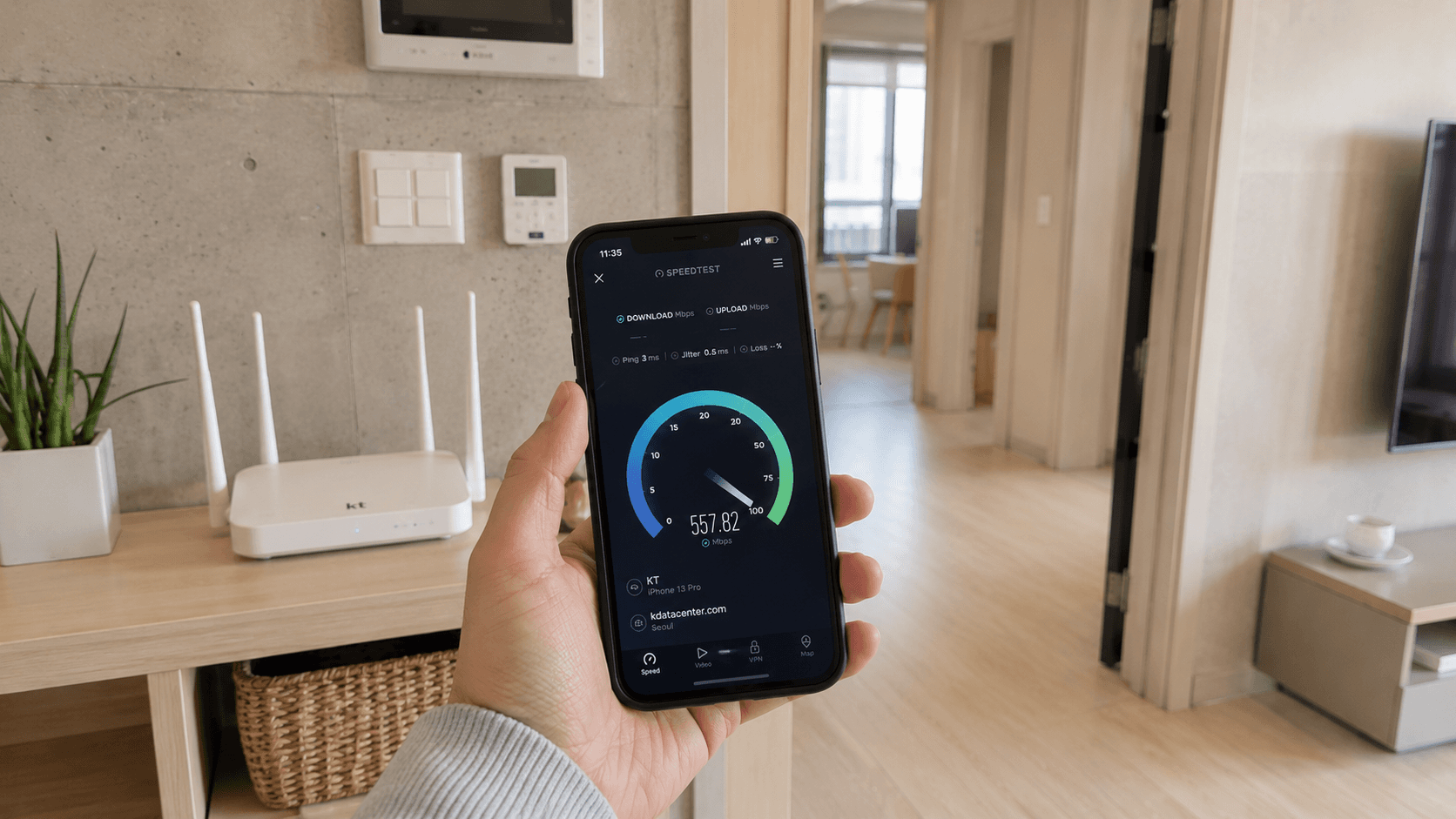
South Korea has highly developed internet infrastructure, but that does not mean every connection is automatically fast. A 1 Gbps home plan may deliver much less over Wi-Fi, mobile performance changes by location, and free public networks can become congested. The important question is not whether Korea has fast internet, but what speed your specific connection can reliably provide.
Information and service examples in this guide were verified on June 9, 2026.
At a glance
| Connection | What to expect | Main limitation |
|---|---|---|
| Home broadband | Common advertised tiers include 100 Mbps, 500 Mbps and 1 Gbps | Wi-Fi, old cables and building infrastructure can reduce actual speed |
| 5G mobile data | Usually suitable for navigation, video calls and streaming where coverage is strong | Indoor reception, congestion and your plan's data policy |
| LTE mobile data | Often sufficient for ordinary phone use | Generally slower than a good 5G connection |
| Public Wi-Fi | Useful in airports, public facilities, parks and some transport locations | Crowding, login pages, security and uneven coverage |
| Café or accommodation Wi-Fi | Convenient for routine browsing | Shared bandwidth and poorly positioned routers |
Korea's network reputation has a solid infrastructure basis. According to the OECD's broadband statistics release, fibre represented 90.5% of Korea's fixed broadband subscriptions at the end of 2024. The same release reported that 5G accounted for 55% of Korean mobile broadband subscriptions.
These figures describe national infrastructure and subscriptions. They do not guarantee a particular result in your apartment, hotel room or subway station.
Understanding Korean internet speed labels
Korean providers normally advertise internet tiers using labels such as 100M, 500M and 1G. These refer to maximum connection rates, not a promised speed on every device.
- 100M: Up to 100 megabits per second, or Mbps
- 500M: Up to 500 Mbps
- 1G: Up to 1 gigabit per second, equivalent to 1,000 Mbps
Providers may also offer faster tiers in supported buildings, but most newcomers should first decide whether 100, 500 or 1,000 Mbps fits their household.
Current product pages confirm that these remain standard consumer categories. For example, LG U+'s internet comparison lists 100 Mbps, 500 Mbps and 1 Gbps services. Availability must still be checked for the exact address.
Mbps is not the same as MB/s
Internet plans use megabits per second, written Mbps. Download applications often display megabytes per second, written MB/s. Eight bits equal one byte, so divide the advertised Mbps figure by eight to estimate the theoretical maximum in MB/s.
| Advertised rate | Theoretical maximum download rate |
|---|---|
| 100 Mbps | 12.5 MB/s |
| 500 Mbps | 62.5 MB/s |
| 1 Gbps | 125 MB/s |
Actual file downloads are usually lower because of network overhead, Wi-Fi conditions and limits at the server sending the file.
Download, upload and latency measure different things
Download speed affects streaming, website loading and receiving files. Upload speed matters for cloud backups, livestreaming, video calls and sending large files.
Latency, usually shown in milliseconds or ms, measures response time. Low latency is important for online games, remote desktops and live calls. A connection can have high download capacity but still feel unresponsive if latency is poor or unstable.
A fourth measurement, jitter, shows how much latency varies. High jitter can cause broken audio even when a speed test reports plenty of bandwidth.
How much speed do you actually need?
For a single person doing ordinary browsing, messaging, video calls and streaming, a stable 100 Mbps home connection is normally sufficient. Faster service becomes useful when several people or devices are active at once.
| Household use | Practical starting point |
|---|---|
| One person, routine browsing and streaming | 100 Mbps |
| Several devices, frequent high-resolution streaming | 500 Mbps |
| Large household, heavy downloads or regular large uploads | 500 Mbps to 1 Gbps |
| Specialist work requiring very large transfers | Check 1 Gbps or faster availability |
These are practical suggestions, not provider guarantees. Stability and router placement often matter more than purchasing the highest advertised tier.
A 1 Gbps plan will not make a basic website ten times faster than a 100 Mbps plan. It mainly increases the total capacity available for large transfers and simultaneous users.
Why your Wi-Fi may be slower than your plan
The speed entering your home and the speed reaching your phone are not the same. Your provider delivers a connection to a modem or optical network terminal. A router then distributes it through Ethernet cables or Wi-Fi.
Common causes of slower Wi-Fi include:
- The router is inside a cabinet or at one end of the apartment.
- Concrete walls, heated floors and metal doors weaken the signal.
- The device is connected to the 2.4 GHz band instead of a faster 5 GHz or 6 GHz band.
- An old router or laptop cannot handle the subscribed rate.
- Several apartments are using overlapping Wi-Fi channels.
- A cable or Ethernet port is limited to 100 Mbps.
- A VPN, security program or remote server is slowing the transfer.
The 2.4 GHz band generally reaches farther and passes through obstacles more effectively, but it is more crowded and usually slower. The 5 GHz band normally provides greater speed at shorter range. Wi-Fi 6 and newer equipment can improve efficiency, but both the router and device must support the relevant standard.
How to test your connection properly
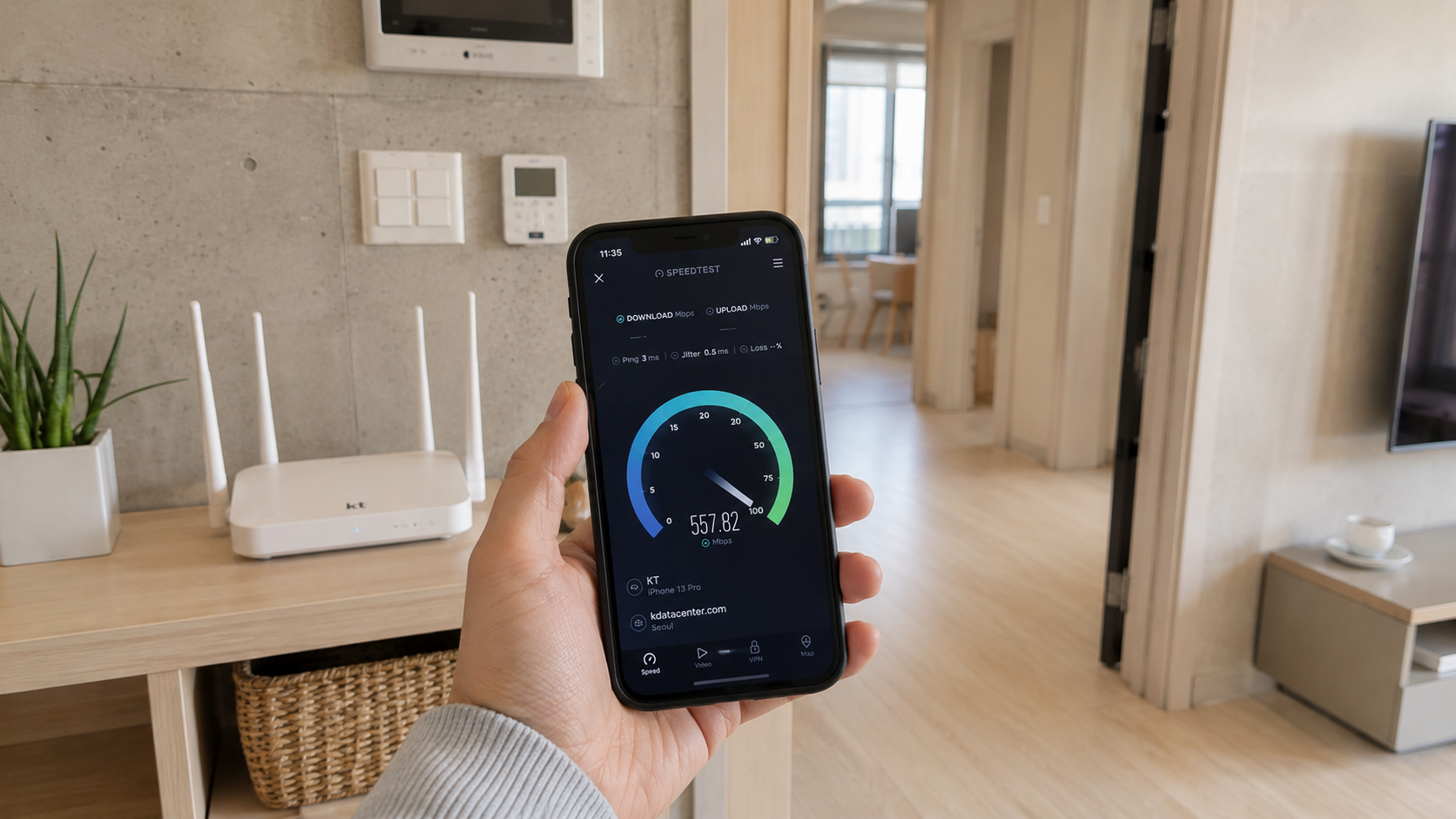
Do not rely on one test from one phone. Use the following process before reporting a fault or changing plans.
1. Stop other traffic
Pause cloud backups, game downloads, streaming and software updates. Disconnect unnecessary devices if possible.
2. Test near the router
Run two or three tests while standing in the same room as the router. Record download speed, upload speed and latency.
3. Test with Ethernet
Connect a computer directly to the router using a cable that supports the subscribed speed. Confirm that the computer has a gigabit-capable network port if you are testing a 500 Mbps or 1 Gbps service.
A fast wired result and slow Wi-Fi result usually indicate a local wireless problem rather than a fault with the incoming line.
4. Repeat at different times
Test during the morning, evening and any period when the problem normally occurs. Temporary congestion can produce misleading results.
5. Use more than one test server
A result can be limited by the selected server or route. Compare multiple nearby servers rather than treating one number as definitive.
6. Keep evidence
Save screenshots showing the date, time, connection type and results. Also note whether you were using Ethernet, Wi-Fi, a VPN or mobile data. This makes a provider support call more productive.
Mobile internet: 5G does not mean constant maximum speed
Korea's three main mobile network operators are SK Telecom, KT and LG U+. Mobile virtual network operators, commonly called alttelpon (알뜰폰), sell plans that use one of these underlying networks.
Your mobile speed depends on:
- Which operator's network the SIM uses
- Whether your phone supports the operator's Korean frequency bands
- Indoor and underground signal conditions
- The number of nearby users
- Whether the phone is connected to 5G or LTE
- The plan's high-speed data allowance and post-allowance limit
- Tethering or hotspot restrictions
The 5G icon alone is not proof of a fast connection. A strong LTE connection can sometimes perform better than weak or congested 5G.
Before choosing a long-term mobile service, check the places where you actually spend time. The official SmartChoice coverage information page links to operator maps for mobile and fixed internet coverage. Coverage maps are useful for screening options, but indoor results can still vary by room and building material.
Check throttling language carefully
Some plans provide a fixed amount of full-speed data and then continue at a reduced rate. A plan described informally as unlimited may therefore remain connected without preserving full 5G speed.
Look for wording about:
- 기본 제공량: included data allowance
- 소진 후: after the allowance is used
- 최대 1Mbps or 최대 3Mbps: maximum post-allowance speed
- 테더링 or 핫스팟: tethering or hotspot use
- 일 제공량: daily allowance
Verify the current plan conditions directly with the operator or seller before paying.
Public Wi-Fi in Korea
Free public Wi-Fi is available in selected public facilities and high-traffic locations. The national Public WiFi portal, operated with the Ministry of Science and ICT and the National Information Society Agency, provides an English interface and describes the service as a joint government, local-government and telecommunications initiative.
A common network name is Public WiFi Free, although names and authentication methods vary. Busan, for example, lists both Public WiFi Free and its own city network on the Busan Free Wi-Fi Service page.
Seoul also operates municipal Wi-Fi. The city's current Seoul Free WiFi page should be checked for service information. Older Seoul instructions mention network names such as SEOUL_Secure, but SSIDs and login procedures can change, so follow the instructions displayed at the location rather than relying on an old screenshot.
Public Wi-Fi is useful for maps, messages and routine browsing, but do not assume uninterrupted coverage between hotspots. A visitor who needs navigation, translation or ticket access throughout the day should use a Korean SIM, eSIM, roaming plan or pocket Wi-Fi rather than depend entirely on public networks.
For security, prefer a secure network where available, confirm the exact network name on an official sign, use HTTPS websites, and avoid sensitive banking or account changes on an unknown open network.
Home internet for renters and newcomers
Fixed broadband installation is tied to an address. Before signing, ask the provider to confirm both availability and the delivery method at your exact unit, not merely in the neighborhood.
You may need identification, contact details and an accepted payment method. Requirements vary by provider, product and immigration status. A landlord, employer, university or relocation office may already have arranged internet, particularly in furnished studios, dormitories and short-term housing.
Ask these questions before agreeing to service:
- What is the advertised download and upload speed?
- Is that speed available in this exact apartment?
- How long is the contract?
- What installation, activation or equipment fees apply?
- Is the router included, rented or purchased separately?
- What charge applies if I cancel before the contract ends?
- Can the service be moved to a new address?
- Does the quoted price require mobile or IPTV bundling?
- Are VAT and equipment rental included?
- What documents and payment methods are accepted from foreign residents?
Long contracts commonly produce lower advertised monthly prices, but early cancellation can trigger repayment of discounts. A short-term resident should compare the total cost over the actual stay rather than only the headline monthly fee.
Shorter foreigner-accessible products do exist. As one verified example, the LG U+ Nugget 100M product page stated on June 9, 2026 that foreigners were eligible regardless of age and that the product used a one-year contract. This is an example, not a recommendation; compare availability, fees and cancellation terms with other providers.
Common mistakes
Buying 1 Gbps without checking the equipment
A 100 Mbps Ethernet port, old cable or basic router can prevent a device from using the additional capacity.
Testing through a VPN
A VPN adds another server and route. Disable it temporarily when diagnosing the underlying connection, unless the VPN itself is what you need to evaluate.
Comparing Wi-Fi with an advertised wired maximum
The plan label normally describes the access service's maximum rate. It is not a guarantee that every phone will show the same number over Wi-Fi.
Assuming a new building guarantees perfect reception
Modern apartments may have good wired infrastructure but difficult Wi-Fi conditions because of layout, reinforced walls or router placement.
Depending entirely on café Wi-Fi
Passwords may change, access may be limited to customers, and speeds can fall when the café is busy. Keep mobile data available for navigation and reservations.
What to check before you go
For a short visit:
- Confirm that your phone is unlocked before leaving home.
- Check Korean frequency compatibility and eSIM support.
- Read the full-speed data allowance, throttling and tethering terms.
- Install the eSIM before departure if instructed, but activate it according to the seller's directions.
- Save your accommodation address and essential tickets offline.
- Carry a power bank if using mobile data for navigation all day.
For a move to Korea:
- Ask whether internet is already included in the housing contract.
- Confirm the exact unit's service availability.
- Compare contract length, installation cost, equipment rental and cancellation charges.
- Test with Ethernet before upgrading solely because Wi-Fi feels slow.
- Keep installation and cancellation documents until the final bill is settled.
Your next step should match your situation: travelers should compare mobile data allowances and hotspot rules, while residents should ask providers for an address-level availability check and a complete written cost breakdown before signing.