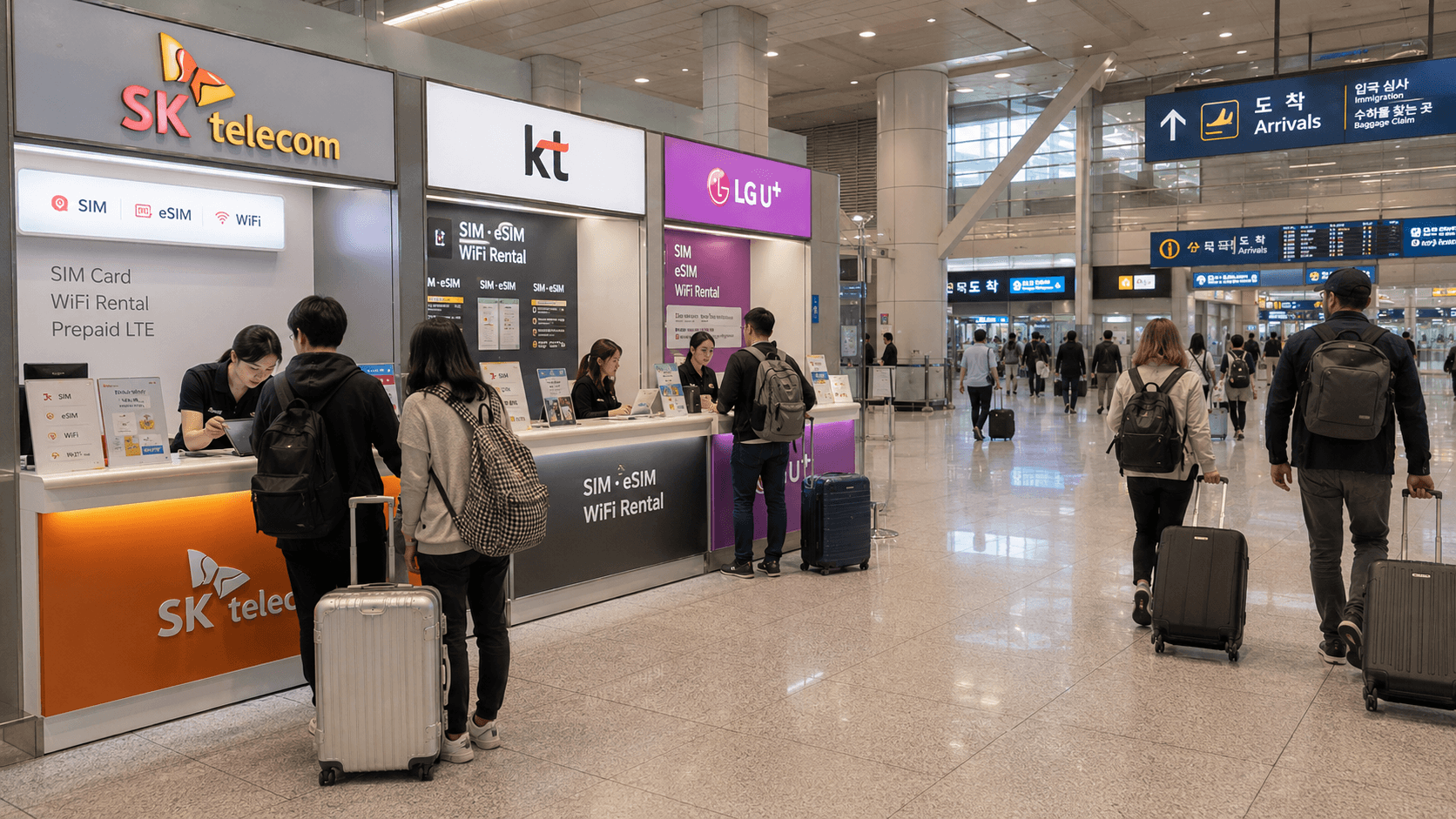
South Korea has three main mobile network operators: SK Telecom, KT, and LG U+. For most visitors, coverage in major cities will be adequate on any of them. The more important differences are the tourist plan's speed policy, eSIM compatibility, voice and text activation, airport support, and refund rules.
Prices and product conditions below were verified on June 9, 2026. Carrier offers can change, so check the linked product page before paying.
At a glance
| Network | Practical reason to choose it | Important limitation |
|---|---|---|
| SK Telecom | Broad range of short-term durations and data, voice, and SMS products | Passport verification at an airport counter is required before calls and texts work on relevant tourist plans |
| KT | Clear daily data policy and extensive airport-counter information | Full-speed data is limited to 3GB per day before speed is reduced to 5Mbps |
| LG U+ | Advertises unlimited 5G/LTE data without routine speed throttling on its tourist data plans | Its official tourist eSIM page excludes Google Pixel and OPPO devices |
| MVNO, or 알뜰폰 | Often worth comparing for stays of several months or longer | Activation, foreign-language support, and eligibility vary by provider |
There is no universally correct carrier. A visitor staying five days with an eSIM-compatible iPhone has different needs from an exchange student who requires Korean identity verification and a renewable monthly plan.
The three Korean mobile networks
SK Telecom
SK Telecom, usually shown as SKT or T on signs, operates one of Korea's three nationwide mobile networks. Its official inbound service sells physical SIMs, eSIMs, portable Wi-Fi routers, and phone rentals.
The SK Telecom tourist reservation page lists data-only and data, call, and SMS products for periods from 1 to 90 days. On the plans that support calls and texts, passport information must be verified before those functions become available. Data can be used before that verification, but the voice-enabled eSIM QR code may need to be collected after verification at an airport roaming center.
SK Telecom's current purchase page advertises continuous unlimited data at up to 100Mbps for the listed tourist SIM and eSIM products. This is an advertised maximum rather than a guaranteed real-world speed; congestion, location, building materials, and the phone itself can affect performance.
SKT is a practical choice when you want numerous duration options or expect to use an airport service counter. Check the exact activation procedure carefully if you need a Korean number immediately for restaurant, accommodation, or delivery-related calls.
KT
KT is another nationwide network and has official roaming centers at Incheon, Gimpo, and Gimhae airports. Its tourist products include physical SIMs, eSIMs, and portable Wi-Fi routers.
According to the official KT eSIM product information, its standard tourist data allowance is 3GB per day at regular speed. After using that allowance, data remains available at up to 5Mbps until the daily allowance resets at midnight.
Five megabits per second is generally sufficient for navigation, messaging, web browsing, and ordinary video calls, although large downloads and high-resolution streaming will be slower. Travelers who regularly upload video or tether a laptop should account for the daily threshold.
KT provides every listed tourist eSIM with an 010 Korean mobile number. However, a phone number does not automatically provide Korean personal identity authentication, known as 본인인증. KT explicitly states that its short-term tourist SIM cannot be used for that form of authentication.
KT's data-only eSIM can be purchased online. Voice-capable products and entry verification may require an airport-counter visit. KT also warns that an eSIM can be installed only once and should not be deleted from the phone after installation.
LG U+
LG U+ is the third nationwide network. Its official visitor service offers eSIMs, physical SIMs, portable Wi-Fi, phone rentals, and travel-related bundles.
The LG U+ tourist eSIM page advertises unlimited 5G/LTE data without a routine speed cap or throttling. The company notes that speeds may still be managed during excessive network congestion.
Data-only eSIMs can be purchased online, while LG U+ says its data and voice option is available at airport counters. Incoming calls and text messages are free on supported products; outgoing service requires the appropriate voice plan or balance.
LG U+ has an important device restriction: its official visitor page says its eSIM cannot be used on Google Pixel or OPPO devices. Even when a phone displays an EID, which normally indicates eSIM support, availability can depend on where the device was purchased. Pixel and OPPO owners should not buy the LG U+ tourist eSIM without direct confirmation from the carrier.
LG U+ also states that paid data eSIM purchases cannot be refunded and that an installed eSIM cannot be reissued. Its plans therefore require more careful compatibility checking before payment.
Tourist SIM and eSIM price comparison
The following standard prices were displayed by the carriers on June 9, 2026. They include VAT. Promotional codes, travel bundles, and third-party reseller prices may differ.
| Validity | SK Telecom | KT data eSIM | LG U+ data eSIM |
|---|---|---|---|
| 1 day | KRW 6,500 | KRW 6,500 | KRW 6,500 |
| 3 days | KRW 18,000 | KRW 18,000 | KRW 18,000 |
| 5 days | KRW 27,500 | KRW 27,500 | KRW 27,500 |
| 10 days | KRW 38,500 | KRW 38,500 | Check current checkout price |
| 30 days | KRW 71,500 | KRW 71,500 | Check current checkout price |
Because the basic prices are very similar, choosing solely by cost is rarely useful. Compare the data policy, voice activation, phone compatibility, pickup requirement, and cancellation conditions instead.
Which network has the best coverage?
All three carriers operate nationwide LTE and 5G networks. Government-supported Smart Choice coverage information explains that carrier coverage can differ because of frequencies, network operation, subscriber numbers, traffic demand, and investment decisions.
A coverage map is not a promise of identical service at every point. Mountains, basement rooms, elevators, thick concrete walls, crowds, and the radio bands supported by an overseas phone can all affect reception.
For an ordinary trip covering Seoul, Busan, Jeju, and other major destinations, network selection should usually be based on the plan rather than an assumption that one carrier will work everywhere and the others will not. For remote islands, mountain accommodation, rural work sites, or a long-term home, check each carrier's coverage map for the exact address.
eSIM or physical SIM?
Choose an eSIM when:
- Your phone is carrier-unlocked and explicitly supports the Korean carrier's eSIM.
- You want to keep your home SIM installed for incoming messages.
- You can access Wi-Fi while installing the eSIM.
- You do not need counter assistance with the SIM tray or phone settings.
Choose a physical SIM when:
- Your phone lacks eSIM support.
- The carrier excludes your phone model from its eSIM service.
- You want airport staff to help with activation.
- You prefer to avoid downloading a one-use eSIM profile.
Do not assume that an internationally sold phone will support every Korean network feature. Confirm that the phone is unlocked and supports the necessary LTE or 5G bands. The official Smart Choice device FAQ notes that overseas devices can fail when they do not support the selected carrier's frequencies.
Do you need calls and text messages?
Data-only plans are sufficient for maps, translation, KakaoTalk, WhatsApp, email, and app-based calls. They may not be sufficient when a reservation system, accommodation host, university office, or delivery driver expects a callable Korean number.
Read the product description carefully. Some tourist plans assign an 010 number but permit only incoming calls or texts until passport verification. Others do not allow outgoing calls unless you buy a voice-capable version or add credit.
A Korean number also does not necessarily support 본인인증, the identity-verification process used by banks, government services, payment platforms, and some domestic websites. LG U+ states that voice and SMS plans can receive verification messages for services such as restaurant or taxi apps, but they cannot perform banking or government identity authentication. KT gives a similar warning for its short-term tourist SIM.
Long-term residents who need full identity-linked service should ask the carrier whether the account can be registered correctly to their residence card and legal name. Do not rely on a seller's statement that a product simply includes SMS.
What about MVNOs and 알뜰폰 plans?
An MVNO is a mobile virtual network operator. In Korea, these lower-cost services are commonly called 알뜰폰, roughly meaning budget mobile phone service. They use the network of SK Telecom, KT, or LG U+ but sell their own plans and provide their own customer service.
MVNOs can be attractive for exchange students, working-holiday participants, and residents staying several months. Monthly plans may cost less than continuing a tourist SIM, particularly when you bring an unlocked phone.
The trade-off is administration. Eligibility documents, online identity checks, payment methods, English support, eSIM availability, and cancellation procedures differ widely. Some online activation systems are difficult to use before a residence card or Korean payment method has been issued.
The government-supported Smart Choice mobile plan comparison service includes the three main carriers and numerous MVNOs. Its interface is primarily Korean, but it is useful for comparing current data allowances and monthly charges. Verify the final terms directly with the chosen provider.
Recommendations by type of user
Short visit of up to 10 days
Buy a direct carrier data eSIM if your phone is compatible. Current base prices are almost identical, so prioritize installation and data policy. LG U+ is notable for advertising uncapped unlimited data, KT clearly defines its 3GB-per-day full-speed allowance, and SKT offers many duration choices.
Traveler who needs a Korean number
Select a data, voice, and SMS product rather than data-only. Confirm whether passport verification must be completed at an airport counter and whether outgoing calls require a separate balance.
Group or family
A portable Wi-Fi router can connect several devices, but the group must remain together and keep the router charged. Individual SIMs or eSIMs are more convenient when people separate. Router rentals may also require a payment card, deposit, and return before departure.
Exchange student or resident
A short-term airport SIM is useful for the first few days, but compare monthly main-carrier and MVNO plans after receiving the documents needed for local registration. Ask specifically about identity authentication, contract length, cancellation fees, payment requirements, and whether your legal name will be registered exactly as shown on your residence card.
How to set up your Korean mobile service
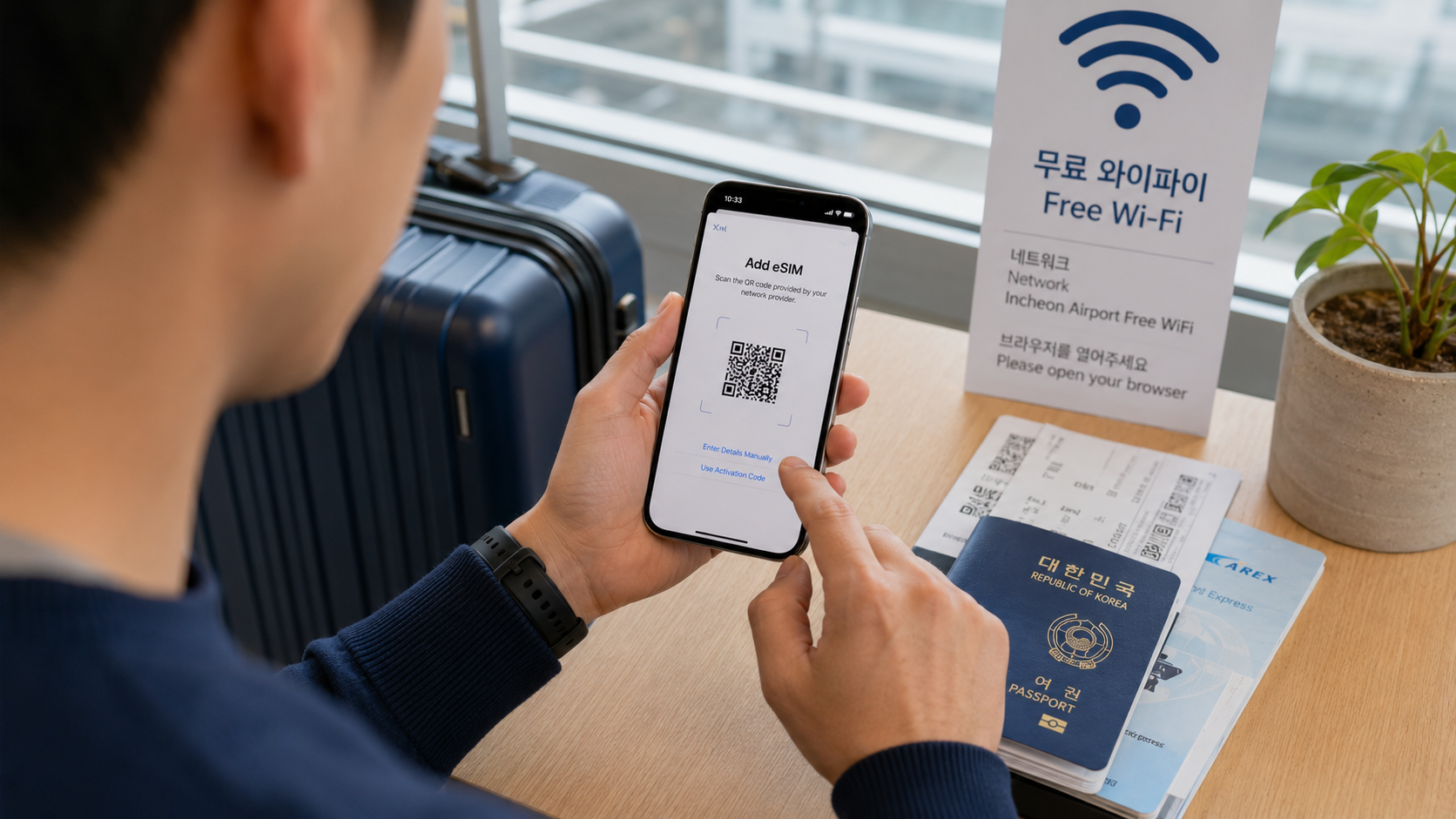
- Confirm that the phone is unlocked with your home carrier.
- Check eSIM support by looking for an EID under the phone's device information or by dialing
*#06#where supported. - Review the Korean carrier's model restrictions, not only the phone manufacturer's general eSIM list.
- Decide whether you need data only or a callable Korean number.
- Buy from the carrier's official website or reserve official airport pickup.
- Keep the QR code available on another screen or printed page if the phone must scan it.
- Connect to Wi-Fi before installation.
- Set the Korean SIM as the mobile-data line and disable data switching to your home SIM.
- Test mobile data, an incoming message, and an outgoing call if included before leaving the counter.
- Keep the receipt, contract number, and assigned Korean phone number.
Do not delete an eSIM while troubleshooting. KT and LG U+ both warn that downloaded profiles generally cannot be reissued or reinstalled.
What to check before you go
- Is your phone carrier-unlocked?
- Does the exact model support the carrier's eSIM and Korean frequency bands?
- When does the validity period begin: installation, first network connection, or first data use?
- Is unlimited data genuinely uncapped, or does speed fall after a daily allowance?
- Does the product include a Korean 010 number?
- Are incoming and outgoing calls and texts supported?
- Is airport passport verification required?
- Can the SIM receive ordinary verification texts?
- Does it support formal Korean identity authentication? Tourist products usually do not.
- Can you pay with your card? Some carrier tourist sites reject Korean-issued cards.
- Is the purchase refundable before activation? Some eSIM products are non-refundable immediately after payment.
- Where is the airport counter, and will it be open when your flight arrives?
FAQ
Can I buy a Korean eSIM before arriving?
Yes. All three major carriers offer advance purchase or reservation options, but activation rules differ. Install or activate it within the carrier's stated validity period and do not assume it will connect outside Korea.
Can I keep receiving messages on my home number?
Usually, if your phone supports dual SIM and your home line remains enabled. Disable data roaming and mobile-data switching on the home line to reduce the risk of roaming charges. Receiving calls or messages may still incur charges under your home carrier's rules.
Will a tourist SIM work for Korean banking apps?
Do not assume so. A tourist SIM may have an 010 number but still lack residence-linked personal authentication. Ask the bank and mobile provider for their current requirements.
Can I use tethering?
Carrier rules can differ by product, and an unlimited phone plan may have separate tethering restrictions. Confirm the current policy on the checkout page or with the carrier before relying on a phone as your main laptop connection.
Where can I get help after arrival?
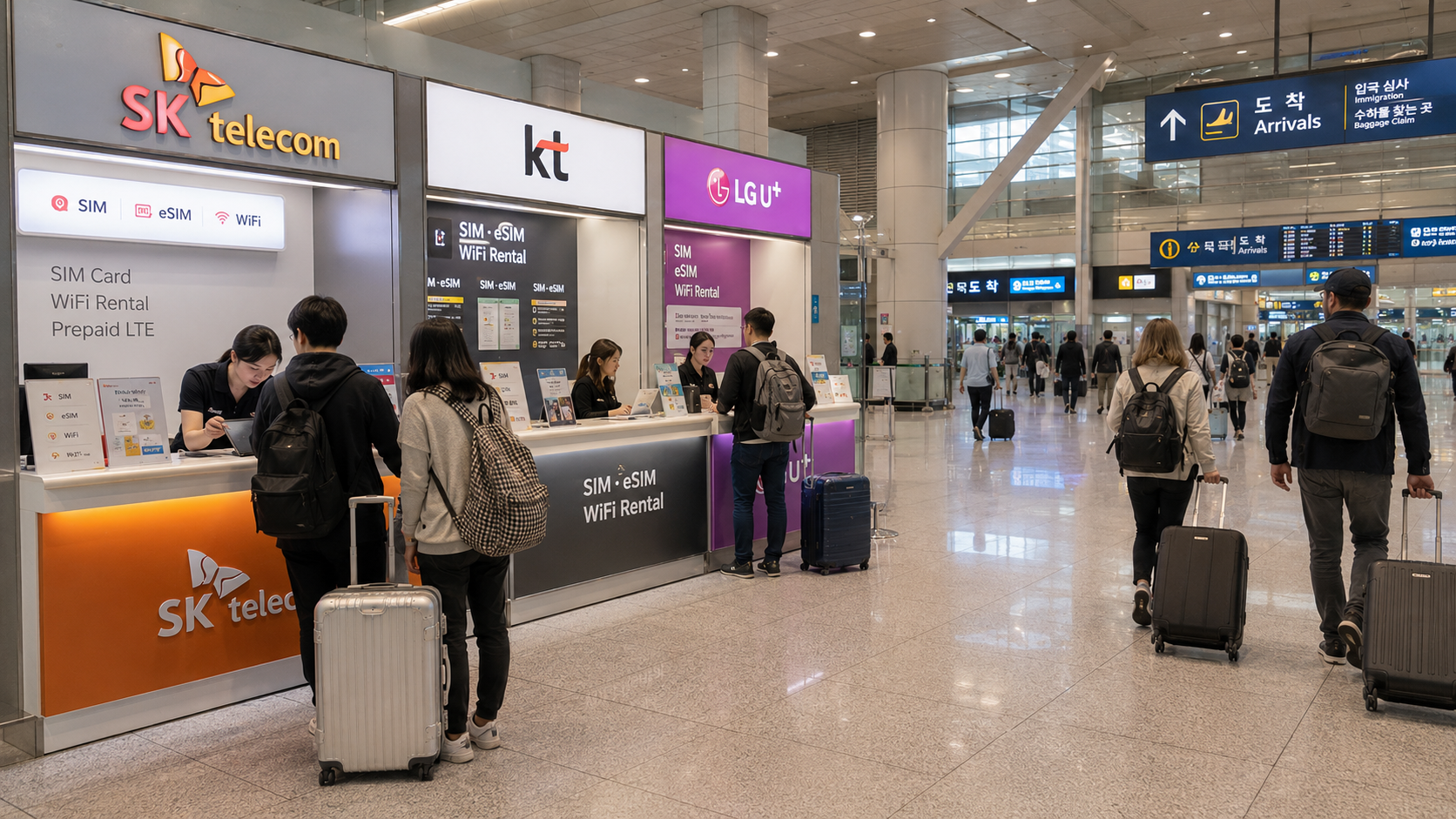
Major Korean airports have carrier roaming centers. VISITKOREA's communications guidance lists SK Telecom, KT, and LG U+ as airport roaming-service providers. Counter locations and hours can change, so use the carrier's official airport information on your arrival date.
Your next step is to check your exact phone model against the carrier's compatibility rules, then compare the plan's voice and data conditions rather than choosing by brand alone.